Best AI Coding Assistants in 2026: Claude Code vs Cursor vs Kilo Code
I’ve been rotating between three AI coding tools for the past few weeks, and every time someone asks me “which one should I use,” my answer starts with “depends what you’re actually trying to do” — because these three aren’t really competing for the same job anymore.
That answer used to annoy people. They wanted a single winner. But after using all three on real projects — not demos, not toy repos, actual client work and my own side projects — I’ve come around to the idea that the “best AI coding assistant” question is the wrong question. The right question is: what shape is your task, and which tool matches that shape? This post is my attempt to answer that properly, with enough detail that you can make the call yourself instead of taking my word for it.
The shift nobody expected
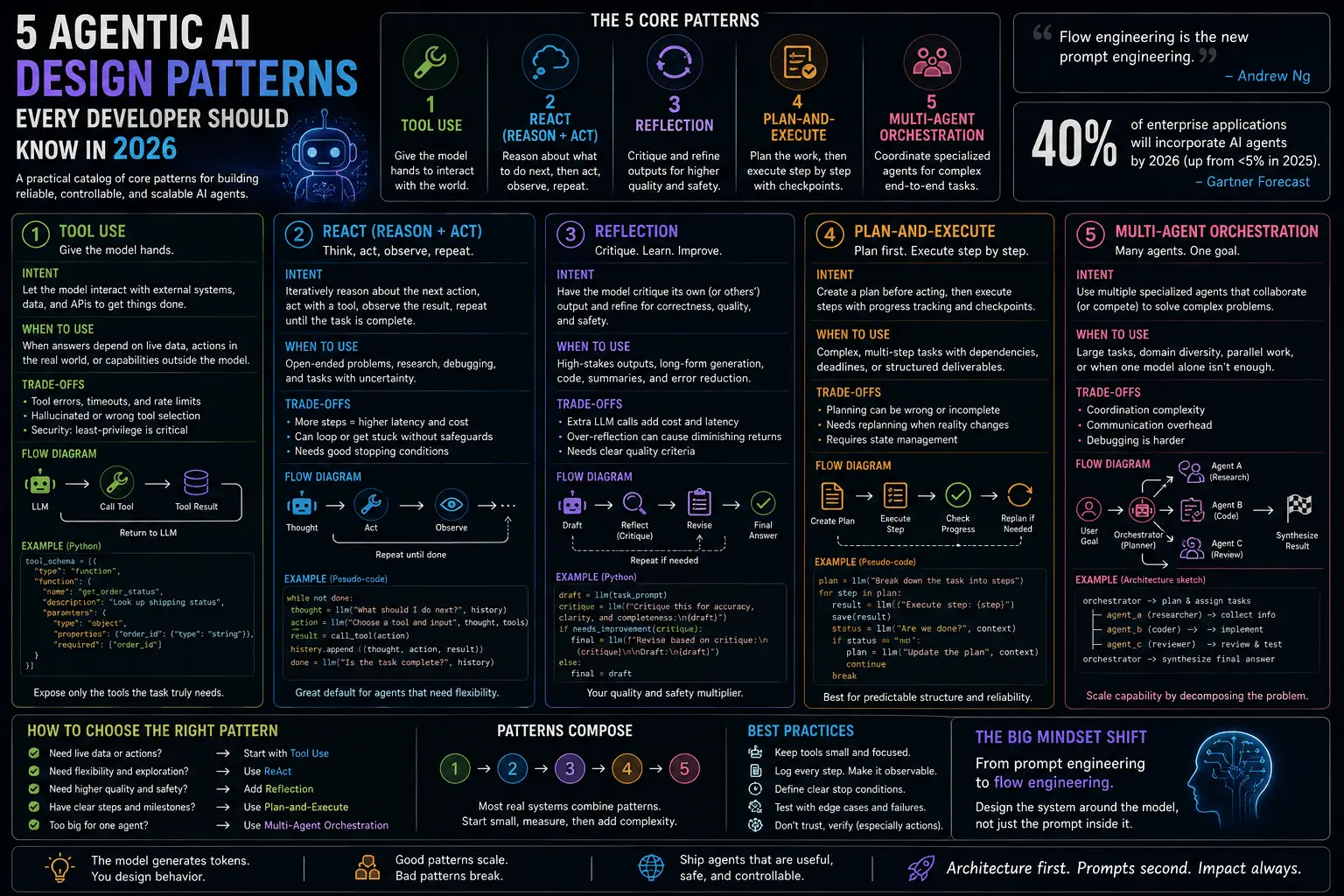
A year ago, every AI coding tool was basically a fancier autocomplete. You typed a comment, it guessed the next fifteen lines, and if you were lucky it compiled. In 2026 that framing doesn’t hold anymore. Buyer attention — and product roadmaps — moved away from flashy chat demos toward tools that actually finish tasks: write the function, run the tests, fix what broke, open the pull request, and only come back to you when something genuinely needs a human decision.
This is a bigger shift than it sounds. Autocomplete tools optimize for latency — how fast can it guess the next token you wanted. Agentic coding tools optimize for task completion — how much of the ticket can it close without you touching the keyboard. Those are different engineering problems, and the tools that won this year are the ones that took the second problem seriously: longer context windows, better tool-use loops, real test execution, and enough judgment to know when to stop and ask versus when to keep going.
Anthropic and the Cursor team have both pushed task-running agents deeper into daily workflows this year, and a wave of open-source alternatives — Kilo Code chief among them — showed up specifically to answer the “but I can’t send my code to a closed API” objection that enterprise teams kept raising. That’s the landscape these three tools now sit in, and it’s worth understanding before comparing them feature by feature.

Claude Code: the agent that finishes what it starts
What it is
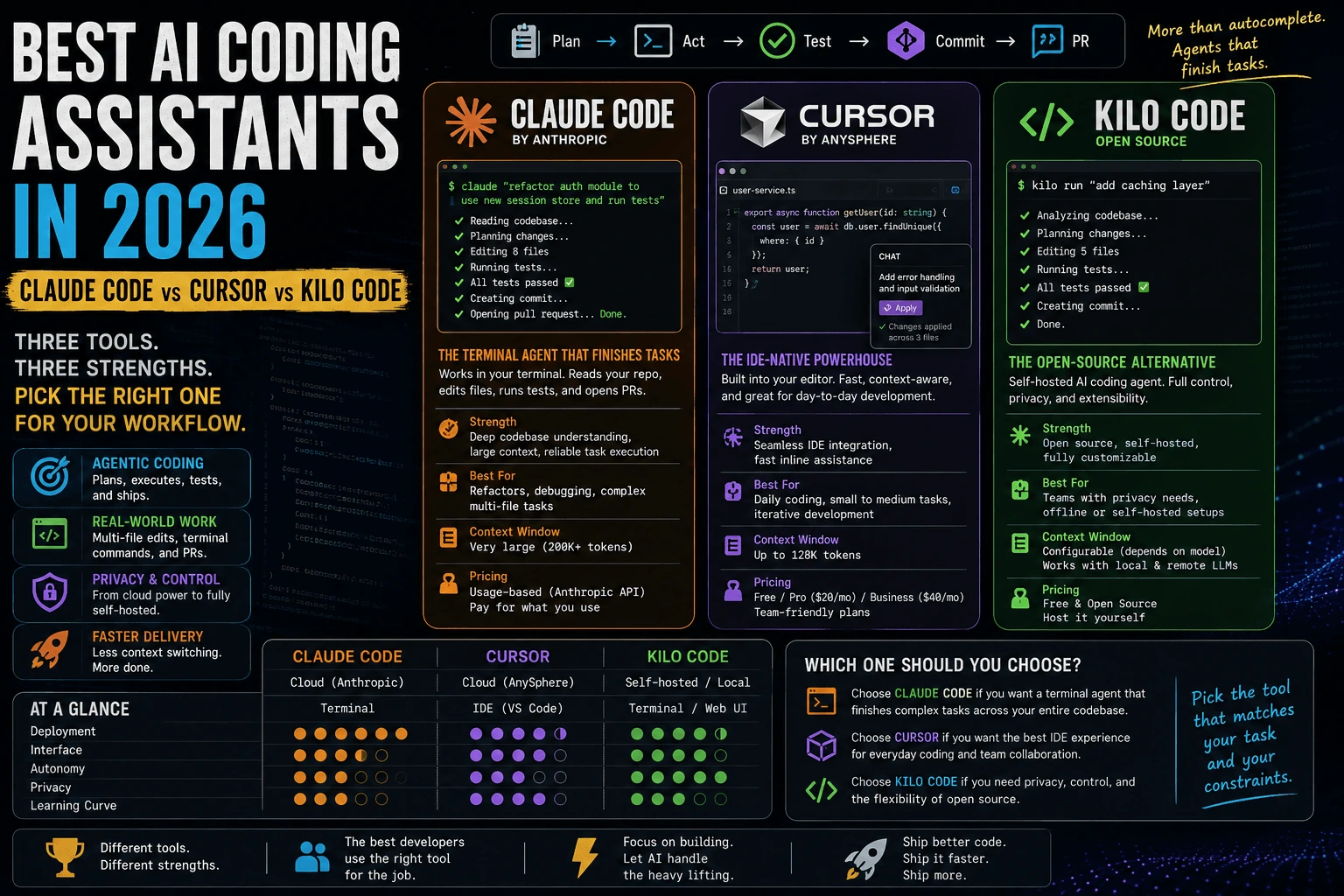
Claude Code is a terminal-based agentic coding tool built by Anthropic. Unlike an editor plugin, it lives in your shell — you invoke it, hand it a task in plain English, and it goes and does the work: reading files, editing code, running commands, executing tests, and committing changes if you let it.
How it works
You describe a task — “refactor the auth module to use the new session store” — and Claude Code plans a sequence of steps, then executes them one at a time, checking its own output as it goes. It can read your whole repository structure, grep for relevant files, open and edit multiple files in one pass, run your test suite, and iterate on failures without you re-explaining context each time. The expanded context window this year is the real unlock: it can hold an entire mid-sized codebase’s relevant context in working memory, so I’m not manually pasting file contents into a chat window anymore.
# typical Claude Code session
claude "find every place we call the old pricing API and migrate to v2, then run tests"
It reads the repo, makes the edits across however many files are affected, runs the test suite, and reports back — including a diff I can review before committing.
Ideal use case
Multi-file refactors, debugging that spans a codebase rather than a single function, and any task where I want an agent that finishes the job rather than handing me a suggestion I still have to wire up myself.
Pricing
Claude Code is usage-based, tied to Anthropic’s API/subscription pricing — you pay for the model tokens consumed by the session, with tiers that scale from occasional use to heavy daily agentic work. There’s no separate “editor license” fee; cost tracks how much agentic work you actually run.
Strengths
- Genuine end-to-end task completion — plan, execute, verify, not just suggest.
- Long context handling means fewer half-finished refactors from lost context.
- Terminal-native, so it fits naturally into CI-adjacent and scripting workflows.
- Strong at reasoning about why something broke, not just pattern-matching a fix.
Limitations
- No visual inline-diff-while-typing experience — it’s not built for line-by-line babysitting.
- Being terminal-first, it has a learning curve if you’ve never worked outside an IDE.
- Cost can climb on very large, very long-running agentic sessions if you’re not watching usage.
Cursor: AI woven into your keystrokes
What it is
Cursor is a full IDE (a VS Code fork) with AI built into the editing experience itself, rather than a separate agent you dispatch. It’s the tool I reach for when I want to stay in the loop on every line rather than hand off a whole task.
How it works
Cursor’s tab-complete predicts your next edit — not just the next few characters, but often the next multi-line change — based on what you just did elsewhere in the file. Its chat panel understands the currently open file and surrounding context, and inline diffs let you accept or reject AI-proposed changes at the granularity of a single hunk. Cursor also ships agent-mode features now for larger tasks, but its core identity is still “AI-assisted editing,” not “autonomous task runner.”
Ideal use case
Day-to-day editing, small contained fixes, and situations where you want to review every suggestion before it lands — which matters a lot in codebases with strict review culture or safety-critical logic.
Pricing
Cursor runs a freemium-to-subscription model — a limited free tier for casual use, and paid tiers (individual and business/team plans) that unlock higher usage limits, faster models, and more agent-mode requests per month. It’s priced like a premium IDE subscription rather than a metered API.
Strengths
- Best-in-class inline editing experience — the tab-complete genuinely predicts intent, not just syntax.
- Low friction to adopt if you already live in a VS Code-like editor.
- Great for exploratory coding where you want fast iteration with a human still driving.
Limitations
- Less suited to long, multi-step autonomous tasks — you’re still the one stitching steps together for anything big.
- Closed-source, so no self-hosting or model-swapping if your organization has data residency requirements.
- Agent-mode features, while improving, aren’t the primary design center of the product.
Kilo Code: the open-source agent you can actually inspect
What it is
Kilo Code is the newest name on this list and the one gaining the most attention right now — an open-source AI coding assistant that behaves less like a suggestion engine and more like a junior developer you can hand a ticket to. It runs as an editor extension but with an agentic core: task planning, multi-file edits, and tool execution, similar in spirit to Claude Code’s approach but built in the open.
How it works
Because Kilo Code is open source, you can read exactly what prompt it sends, what tools it calls, and how it decides when a task is “done.” You can also swap the underlying model — point it at a hosted frontier model, or route it to a self-hosted model if your infrastructure supports one. That flexibility is the whole pitch: agentic coding without being locked into one vendor’s model or one vendor’s data policy.
Ideal use case
Teams that want agentic coding without sending proprietary code to a closed API, or any developer who wants to inspect exactly what the agent is doing rather than trust a black box.
Pricing
Kilo Code itself is free and open source — the software has no license fee. Your actual cost is whichever model backend you connect it to: a paid API from a model provider, or compute costs if you’re running a self-hosted model. So “is Kilo Code free” and “is running Kilo Code free” are two different questions, and it’s worth budgeting for the model cost separately from the tool cost.
Strengths
- Full transparency — you can audit the agent’s behavior, not just trust marketing claims.
- Self-hosting and model flexibility, which matters enormously for regulated industries and security-conscious teams.
- No vendor lock-in — swap models as better or cheaper options appear.
- Active open-source community means fast iteration on rough edges.
Limitations
- More setup and configuration overhead than a polished commercial product — you’re assembling pieces rather than buying a finished experience.
- Quality depends heavily on which model you connect it to; a weak backend model means a weak agent, full stop.
- Smaller ecosystem and fewer polished integrations than Cursor or Claude Code, since it’s younger and community-driven.
Feature comparison table
| Feature | Claude Code | Cursor | Kilo Code |
|---|---|---|---|
| Agent autonomy | High — plans, executes, verifies multi-step tasks | Moderate — inline assist plus growing agent mode | High — agentic core, model-dependent |
| Editor integration | Terminal-native, editor-agnostic | Deep, native (VS Code fork) | Editor extension (VS Code-based) |
| Open-source vs closed | Closed | Closed | Open source |
| Self-hosting | No (API-based) | No | Yes (bring your own model/infra) |
| Pricing tier | Usage-based (token/API metered) | Freemium + subscription tiers | Free tool, pay for model backend |
| Context window / multi-file handling | Very large, strong multi-file reasoning | Good within open files, weaker on repo-wide tasks | Depends on connected model, generally strong |
Which one for which job: a decision framework
Here’s how I actually decide, task by task, rather than picking one tool and forcing every job through it:
- The task spans many files and I want it finished, not just suggested → Claude Code. Multi-file refactors, cross-codebase debugging, anything where “plan it and run it” beats “suggest it and let me wire it up.”
- The task is small, contained, and I want to review every line → Cursor. Quick fixes, exploratory prototyping, anything where staying hands-on matters more than speed.
- My company has strict data policies, or I want to self-host and control the model → Kilo Code. Regulated industries, security-conscious teams, or just developers who don’t want their code touching a closed API.
- I’m not sure yet → Start with whichever tool is already in your editor. Switch tools once the shape of the task becomes clear, not before. Tool-switching cost is lower than most people assume.
None of these three fully replaces the other two yet, and I don’t think that’s a gap that closes soon — the underlying design goals are genuinely different, not just feature-parity behind on a roadmap.
Data privacy and self-hosting: why this matters more than people admit
This is the section most comparisons skip, and it’s the one that actually decides adoption at the team level. Sending proprietary code to any closed API means trusting that provider’s data handling policy — retention windows, training-data opt-outs, regional hosting, all of it. For a solo developer on a side project, that’s rarely a dealbreaker. For a team working on anything under NDA, regulated by compliance frameworks, or simply paranoid about IP leakage, it’s the first question asked in any tool evaluation, before anyone cares about tab-complete quality.
This is exactly where Kilo Code’s open-source, self-hostable model earns its attention. Being able to point the agent at a model running inside your own infrastructure — or at minimum, knowing precisely what data leaves your network and when — is not a nice-to-have for security teams; it’s a procurement requirement. Claude Code and Cursor both operate on trust in the vendor’s data policy, which is reasonable for most teams but a non-starter for some. If your organization has ever had to fill out a vendor security questionnaire before adopting a SaaS tool, you already know which category you’re in.
The honest framing: self-hosting isn’t free — it costs you infrastructure, maintenance, and usually some capability ceiling versus the biggest hosted frontier models. You’re trading raw capability for control. Whether that trade is worth it depends entirely on what’s in the repo you’re pointing the agent at.
FAQ
Is Kilo Code free? The tool itself is free and open source — no license fee. But it needs a model to actually run on, and that model has a cost, whether it’s a paid API or your own compute for self-hosting. Budget for the backend, not just the tool.
Can Claude Code replace Cursor? Not entirely, and I wouldn’t try to force it to. Claude Code is built for finishing multi-step tasks with minimal hand-holding; Cursor is built for staying hands-on while editing. I use both — Claude Code for the messy multi-file work, Cursor when I want to watch every change land.
Which one has the best context window for large codebases? Claude Code’s expanded context handling is the strongest out of the box for reasoning across a large, unfamiliar codebase without manual file-pasting. Kilo Code can match that if you connect it to a model with a comparably large context window — it inherits the ceiling of whatever backend you choose.
Do I need to pick just one? No. Most working developers I know run at least two of these depending on task. The switching cost is a few seconds of context-setting, not a real tax — pick per task, not per identity.
Closing thought
A one-line fix, a full feature, and a self-hosted requirement are three different jobs, and right now, three different tools handle them best. The “best AI coding assistant” question stopped having a single answer the moment these tools stopped competing on the same axis — autonomy, editor integration, and openness pull in genuinely different directions, and that’s fine. My actual workflow now is boring in the best way: Claude Code when the task is big enough to hand off, Cursor when I want to stay hands-on, Kilo Code when the data can’t leave the building. Pick based on the shape of the task in front of you, not brand loyalty, and you’ll end up with the same three-tool rotation I did — not because I couldn’t decide, but because I stopped needing to.