Build a Simple AI Agent in Python (No Framework Needed)
Every “build an AI agent” tutorial I ran into lately starts with pip install langchain or pip install langgraph. Useful tools, but they hide the actual mechanism. Before reaching for a framework, I wanted to see the loop with my own eyes — so I built the smallest working agent I could, in plain Python.
Turns out it’s not much code. The core loop fits in about 60 lines. This post walks through building that loop from scratch: what an agent actually is, what the ReAct pattern means in practice, the full working code, a real trace of it reasoning through a task, the ways it breaks, and when you should stop doing this yourself and reach for a framework.
What an “agent” actually is
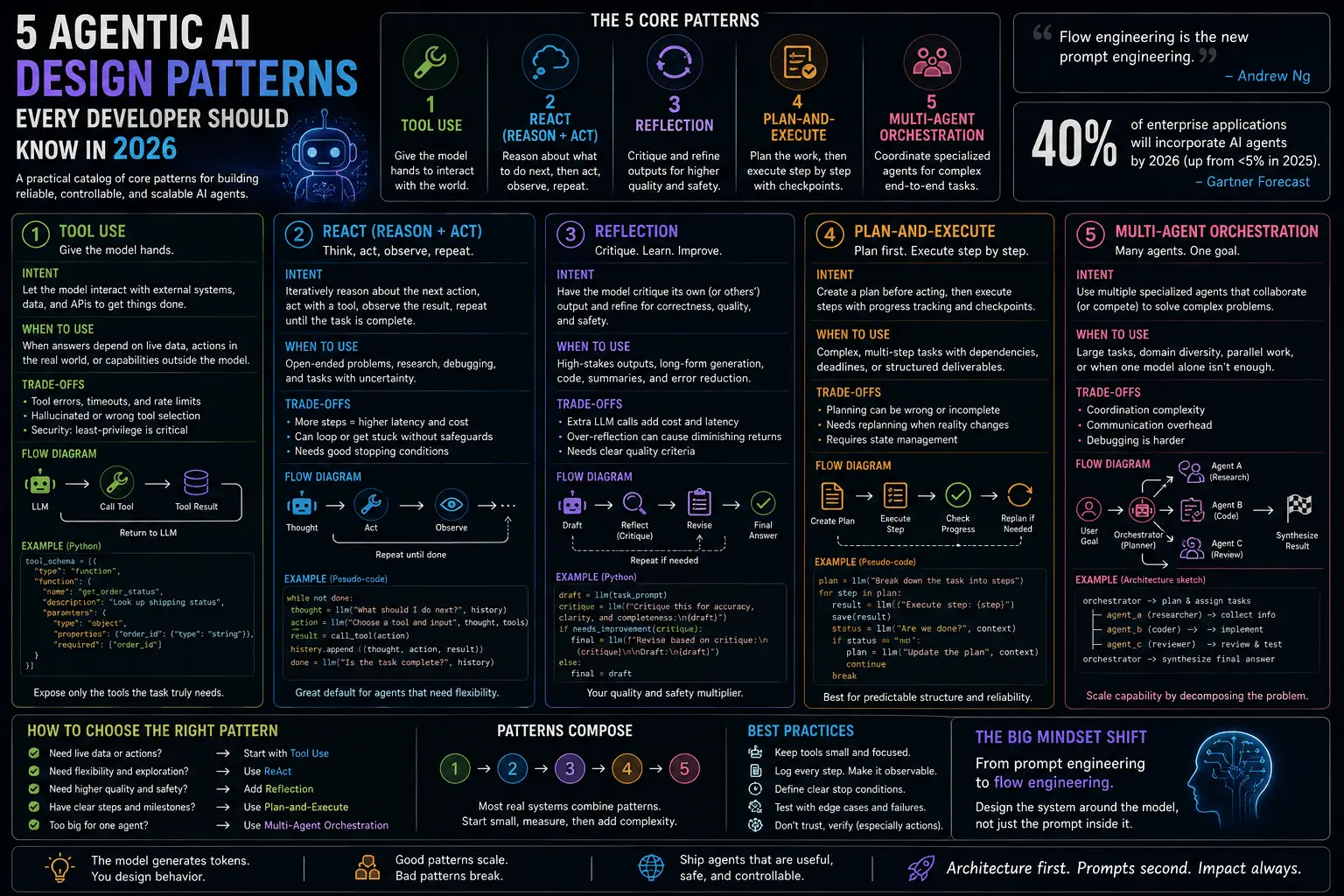
Strip away the marketing and an AI agent is one thing: a loop where the model can call functions, look at the results, and decide what to do next — instead of just returning text once. A plain LLM call is a single request-response round trip. An agent is that same call wrapped in a while loop, with the model given the option to say “before I answer, let me check something” and have your code actually go check it.
That’s the entire trick. There’s no hidden intelligence layer, no separate “planning module” bolted on. The model already knows how to reason step by step — what an agent framework adds is the plumbing: parsing the model’s request to call a tool, running that tool, feeding the result back, and looping until the model is satisfied. Once you’ve built that plumbing yourself once, every agent framework you look at afterward reads as “oh, this is the same loop with more configuration options.”
Why I skipped a framework
Three reasons, in order of how much they mattered to me:
Control. When something in a LangChain agent misbehaves — it calls the wrong tool, it loops forever, it hallucinates a tool name — the failure is buried under several layers of abstraction (chains, agents, executors, callback managers) before you get to the actual API call. When I write the loop myself, the failure is in a function I wrote, on a line I can read.
Fewer dependencies. pip install langchain pulls in a genuinely large dependency tree — parsing libraries, vector store clients, telemetry, integrations for services you’ll never touch. A hand-rolled agent needs exactly one thing: an SDK for whichever LLM API you’re calling. That’s it. For a small script, a cron job, or a backend service where you control every line, that’s a meaningful difference in attack surface and cold-start time.
Understanding the mechanics. This is the big one. If you’ve never built the raw loop, a framework’s abstractions read as magic — “the agent decided to search,” as if deciding were something that happens outside the code. Once you’ve written the loop by hand, you know exactly where “decide” happens: it’s a conditional checking whether the model’s response contains a tool call. There’s no magic, just a for loop and an if statement. That clarity makes debugging any agent — yours or a framework’s — dramatically easier, because you know what to look for.
None of this is an argument against frameworks in general — more on that near the end. It’s an argument for building the raw version first, at least once, before you decide you need one.
The ReAct pattern, explained
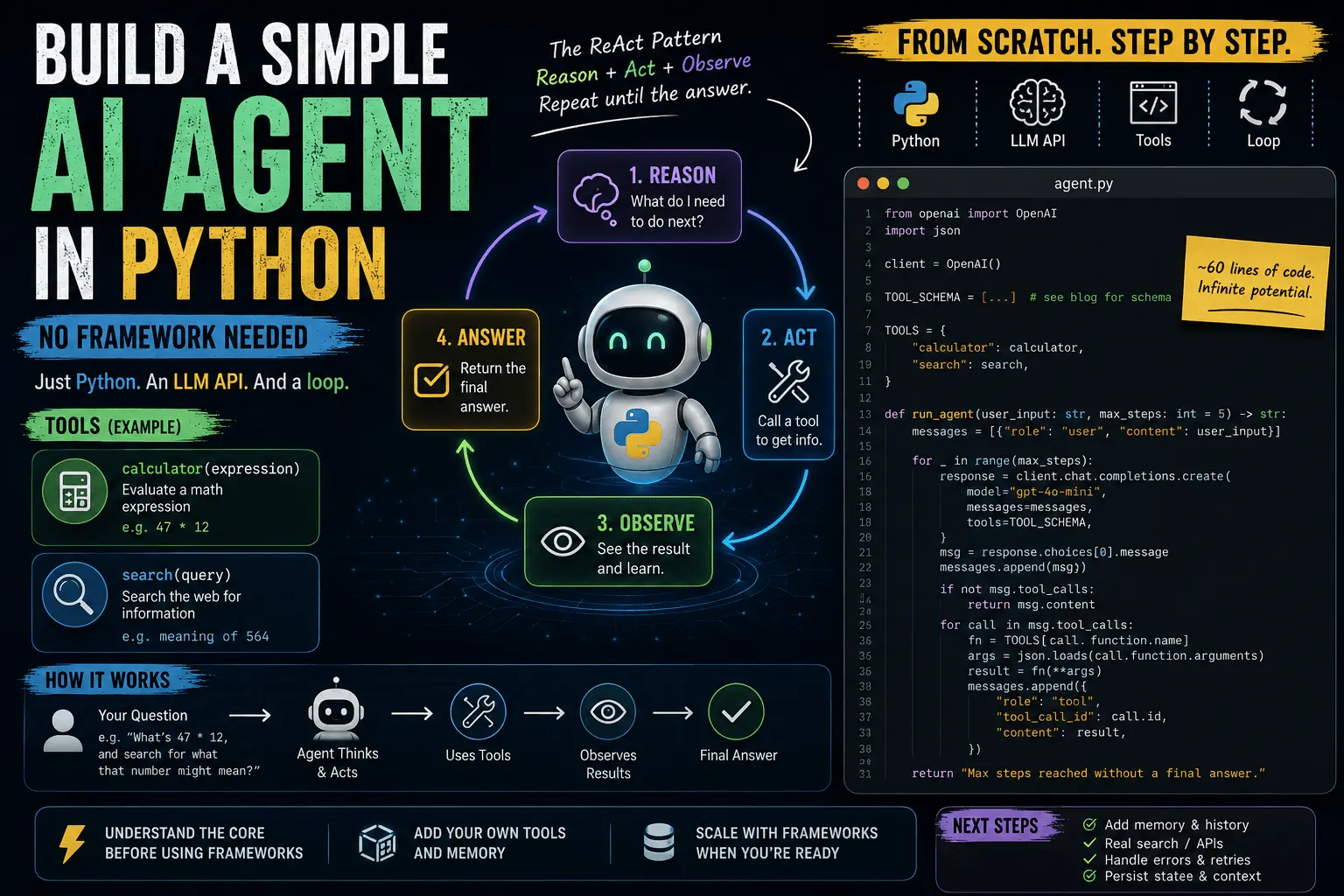
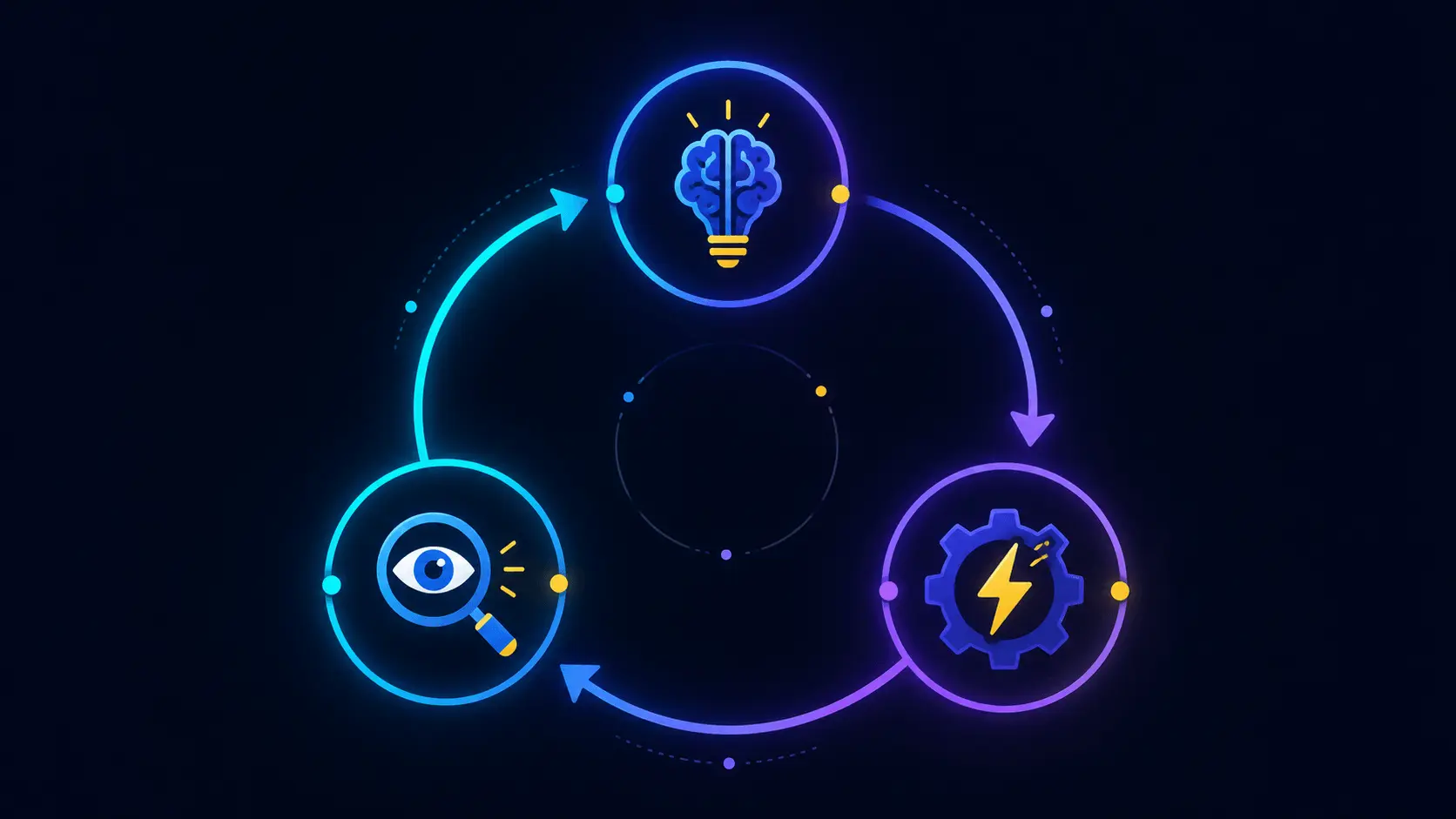
“ReAct” (Reason + Act, from the 2022 paper of the same name) describes the loop this whole post is about: the model reasons about what it needs to do, acts by calling a tool, observes the result, and repeats — reason, act, observe, reason, act, observe — until it has enough information to give a final answer instead of another tool call.
Concretely, each iteration of a ReAct loop looks like this:
- Reason — the model looks at the conversation so far (including any previous tool results) and decides what it needs next. This reasoning can happen implicitly (the model just picks a tool) or explicitly, if you ask it to narrate its thinking before acting.
- Act — the model emits a structured request to call a specific tool with specific arguments. It doesn’t run the tool itself — it can’t; it has no hands. It just describes the call it wants made.
- Observe — your code actually executes that tool call, and the result gets appended back into the conversation as if it were a new piece of information the model just learned.
The loop repeats with that new information in context, so the model’s next “reason” step can factor in what it just observed. It terminates the moment the model responds with plain text instead of a tool call — that’s the model’s way of saying “I have what I need, here’s the answer.”
The reason this pattern won over “just ask the model to plan everything up front” is that most real tasks aren’t fully knowable in advance. You don’t know what a search will return until you run it, and you don’t know if you’ll need a second search until you see the first result. ReAct lets the model adapt one step at a time instead of committing to a fixed plan before it has any information.
Setup
You need Python 3.10+, an API key from an LLM provider, and their SDK. This post uses the OpenAI SDK’s function-calling API because it’s the most widely recognized shape for tool calling, but the loop below is identical in structure no matter which provider you use — only the request/response field names change.
pip install openai
export OPENAI_API_KEY="your-key-here"
The tools
An agent is useless without tools — a model that can only produce text is just a chatbot. Let’s give it two: a calculator, and a fake “search” function standing in for a real search API.
def calculator(expression: str) -> str:
    try:
        return str(eval(expression, {"__builtins__": {}}))
    except Exception as e:
        return f"error: {e}"

def search(query: str) -> str:
    # stand-in for a real search API
    return f"Top result for '{query}': (mocked) relevant info here."

TOOLS = {
    "calculator": calculator,
    "search": search,
}
A couple of things worth calling out here, because they matter once you swap in real tools:
calculatoruseseval()with__builtins__stripped out — that blockseval("__import__('os').system('rm -rf /')")-style attacks but is still not something you’d want exposed to untrusted input in production. A real calculator tool should use a proper expression parser (ast.literal_evalwon’t work for arithmetic; a library likenumexpror a small recursive-descent parser is the safer route).- Every tool returns a string. That’s not incidental — the model only ever sees text, so whatever your tool does internally (hit an API, query a database, run a subprocess), the last step is always “turn the result into a string the model can read.”
TOOLSis a plain dict mapping the tool’s name (as a string) to the actual Python function. This dict is the bridge between “the model asked for a tool calledcalculator” and “here’s the function to actually run.”
Describing tools to the model
The model can’t call TOOLS["calculator"] directly — it never sees your Python code. It only sees a JSON schema describing what each tool does and what arguments it takes. This is the contract between your code and the model:
tool_schema = [
    {
        "type": "function",
        "function": {
            "name": "calculator",
            "description": "Evaluate a math expression",
            "parameters": {
                "type": "object",
                "properties": {"expression": {"type": "string"}},
                "required": ["expression"],
            },
        },
    },
    {
        "type": "function",
        "function": {
            "name": "search",
            "description": "Search the web for information",
            "parameters": {
                "type": "object",
                "properties": {"query": {"type": "string"}},
                "required": ["query"],
            },
        },
    },
]
The description fields matter more than they look. The model decides whether to call a tool, and which tool to call, almost entirely based on how well the description matches what it thinks it needs. A vague description (“does math stuff”) gets under-used or misused; a precise one (“Evaluate a math expression and return the numeric result”) gets called reliably when — and only when — it’s actually needed.
The agent loop
This is the whole thing — reason, act, observe, repeat, with an explicit stopping condition so it can’t run forever:
from openai import OpenAI
import json

client = OpenAI()

def run_agent(user_input: str, max_steps: int = 5) -> str:
    messages = [{"role": "user", "content": user_input}]

    for step in range(max_steps):
        response = client.chat.completions.create(
            model="gpt-4o-mini",
            messages=messages,
            tools=tool_schema,
        )
        msg = response.choices[0].message
        messages.append(msg)

        if not msg.tool_calls:
            return msg.content  # model is done, final answer

        for call in msg.tool_calls:
            fn = TOOLS.get(call.function.name)
            if fn is None:
                result = f"error: unknown tool '{call.function.name}'"
            else:
                try:
                    args = json.loads(call.function.arguments)
                    result = fn(**args)
                except (json.JSONDecodeError, TypeError) as e:
                    result = f"error: malformed tool call - {e}"

            messages.append({
                "role": "tool",
                "tool_call_id": call.id,
                "content": result,
            })

    return "Max steps reached without a final answer."
Walking through what each piece is actually doing:
messagesis the entire conversation state — it’s a plain list that grows by one or more entries every iteration. The model is stateless between calls; this list is the memory. If you don’t append something to it, the model has no idea it happened.- The
for step in range(max_steps)loop is the stopping condition. This is not optional — without a hard ceiling, a model that keeps deciding it needs “just one more” tool call will run (and bill you) indefinitely.max_steps=5is a reasonable default for a toy agent; production agents often need higher ceilings but should always have some ceiling. if not msg.tool_calls: return msg.contentis the “reason” step resolving into a final answer instead of another action. This is the natural exit — the loop ends the moment the model has nothing left to check.- The inner
for call in msg.tool_callsloop is the “act” and “observe” steps. Note it’s a loop, not a single call — the model can request multiple tool calls in one turn (e.g., two searches in parallel), and you need to answer every one of them before the next request, or the API will reject the conversation as malformed. - The
try/exceptaroundjson.loadsand the tool call is the difference between a toy demo and something that survives contact with a real model. Models occasionally emit tool arguments that aren’t valid JSON, or call a tool name that doesn’t exist inTOOLS. Catching that and feeding the error back as the tool’s “result” lets the model see its own mistake and self-correct on the next iteration, instead of crashing your whole process.
Run it:
print(run_agent("What's 47 * 12, and search for what that number might mean?"))
Watching it reason: a worked example
It’s worth seeing what actually happens turn by turn, because “the model decides on its own” undersells how mechanical this is once you’re looking at the raw messages list. Here’s a trace of the call above, roughly reconstructed from what each iteration appends to messages:
Step 1 — Reason
  Model sees: "What's 47 * 12, and search for what that number might mean?"
  Model decides: it needs the multiplication result before it can search for anything.
  Model acts: tool_call → calculator(expression="47 * 12")

Step 1 — Observe
  Tool runs: calculator("47 * 12") → "564"
  Appended to messages as a "tool" role entry.

Step 2 — Reason
  Model sees: the original question + its own tool call + the result "564".
  Model decides: now it can search using that number.
  Model acts: tool_call → search(query="564 meaning")

Step 2 — Observe
  Tool runs: search("564 meaning") → "Top result for '564 meaning': (mocked) relevant info here."
  Appended to messages.

Step 3 — Reason
  Model sees: both prior tool results now in context.
  Model decides: it has everything it needs — no more tool calls.
  Model acts: returns plain text.
    → "47 * 12 is 564. A quick search on '564 meaning' didn't turn up
       anything especially notable — it doesn't appear to carry a widely
       recognized cultural or numerical significance beyond being the
       product of 47 and 12."

Every one of those “Model decides” lines is invisible from the outside — it’s not logged anywhere by default, it’s just the model choosing to emit a tool call versus plain text based on everything currently in messages. If you want to actually see this happen, the cheapest debugging trick is printing msg (or msg.tool_calls) at the top of each loop iteration — you’ll watch the agent’s “thinking” unfold call by call.
Common pitfalls
A few things bite almost everyone building this for the first time:
Infinite loops (or near-infinite ones). Without max_steps, a model that gets into an uncertain state can call the same tool over and over, each time convincing itself it needs “just one more check.” This isn’t a bug in the model so much as a natural consequence of the loop having no external notion of “enough” — it only stops when it decides to stop, and sometimes it doesn’t. The fix is the hard ceiling shown above, plus (for anything beyond a toy) logging every tool call so you can spot a model stuck in a loop before it burns through your API budget.
Malformed tool calls. Models occasionally produce arguments that don’t parse as JSON, omit a required field, or invoke a tool name that was never in your schema (this happens more often after you’ve had a long conversation and the schema has scrolled far out of recent context). If your code assumes every tool call is well-formed and crashes on the first bad one, the whole agent dies on a single flaky response. Wrap the parse-and-call step in a try/except (as in the loop above) and feed the error back to the model as a normal tool result — it will almost always retry correctly on the next turn.
Context length creeping up. Every tool call and every tool result gets appended to messages and resent, in full, on every subsequent API call. A long-running agent that calls tools ten or twenty times can burn through a shocking number of tokens just resending its own history — and eventually hit the model’s context window limit outright. For a toy script this doesn’t matter; for anything long-running, you’ll need a strategy (trimming old tool results, summarizing history, or capping how much of a large tool result actually gets appended) well before it becomes a production incident.
Tool descriptions that are too vague or too similar. If two tools have overlapping descriptions, the model will pick the wrong one unpredictably. This isn’t really a “bug” in your loop — it’s a prompt-engineering problem, and it’s worth iterating on tool descriptions the same way you’d iterate on a system prompt.
When you should reach for a framework instead
This toy loop breaks down fast in production: no retry logic, no persistent state across restarts, no human-in-the-loop pausing, no memory beyond the current run, no built-in handling for the pitfalls above beyond what you write yourself. That’s exactly the gap LangChain and LangGraph fill — LangChain for fast prototyping with a huge integration library (hundreds of prebuilt tools and connectors you’d otherwise write by hand), LangGraph when the agent needs to pause, resume, or survive a crash with explicit state graphs instead of implicit chains.
The honest signal for “time to reach for a framework” isn’t complexity of the task — it’s complexity of the infrastructure around the task: multiple agents that need to hand off to each other, state that must survive a process restart, a need for a visual or programmatic way to inspect and replay past runs, or a team where several people need a shared, documented way to add new tools without stepping on each other. If you’re the only one touching the code and the agent runs start-to-finish in one process, the raw loop usually stays simpler for longer than people expect.
But building the raw loop first made picking between frameworks a lot easier — I could see exactly which problem each one was solving instead of taking it on faith.
FAQ
What is the ReAct pattern? It’s the reason-act-observe loop described above: the model reasons about what it needs, acts by requesting a tool call, observes the result fed back into its context, and repeats until it can answer without another tool call. It comes from the 2022 “ReAct: Synergizing Reasoning and Acting in Language Models” paper, and it’s the pattern underneath almost every tool-using LLM agent, framework or not.
Do I need LangChain to build an AI agent? No. Everything a basic tool-calling agent needs — a loop, a way to describe tools to the model, a way to route a tool call to the right function, and a stopping condition — is maybe 60 lines of plain Python plus whichever LLM SDK you’re already using. LangChain and similar frameworks add value once you need things this raw loop doesn’t have: retries, persistence, multi-agent orchestration, or a large library of prebuilt integrations.
Why does my agent keep calling the same tool forever?
Almost always a missing or too-high max_steps ceiling combined with a tool description that’s ambiguous enough for the model to keep thinking it hasn’t gotten what it needs. Add a hard step limit, log every tool call so you can see the loop happening, and tighten the tool’s description so the model can tell more clearly when it has enough information to stop.
Can I use this same loop with a different LLM provider? Yes — the shape doesn’t change. Every major provider’s tool-calling API follows the same reason → emit structured call → you execute it → feed the result back pattern; only the exact field names in the request and response differ. Swap the client and the response parsing, and everything else in this post — the tools dict, the stopping condition, the error handling — carries over unchanged.
Closing thought
I went into this expecting the “real” agent loop to be hiding somewhere behind a framework’s abstractions — some clever planning algorithm I just hadn’t found yet. It isn’t there. It’s a while loop, a dictionary of functions, and a JSON schema describing them to the model. Everything a framework adds on top of that is real, useful engineering — but it’s engineering around the loop, not the loop itself. Building it by hand once was worth more than reading a dozen framework docs, because now when something in an agent misbehaves, I know exactly which of these five or six moving parts to go check first.