
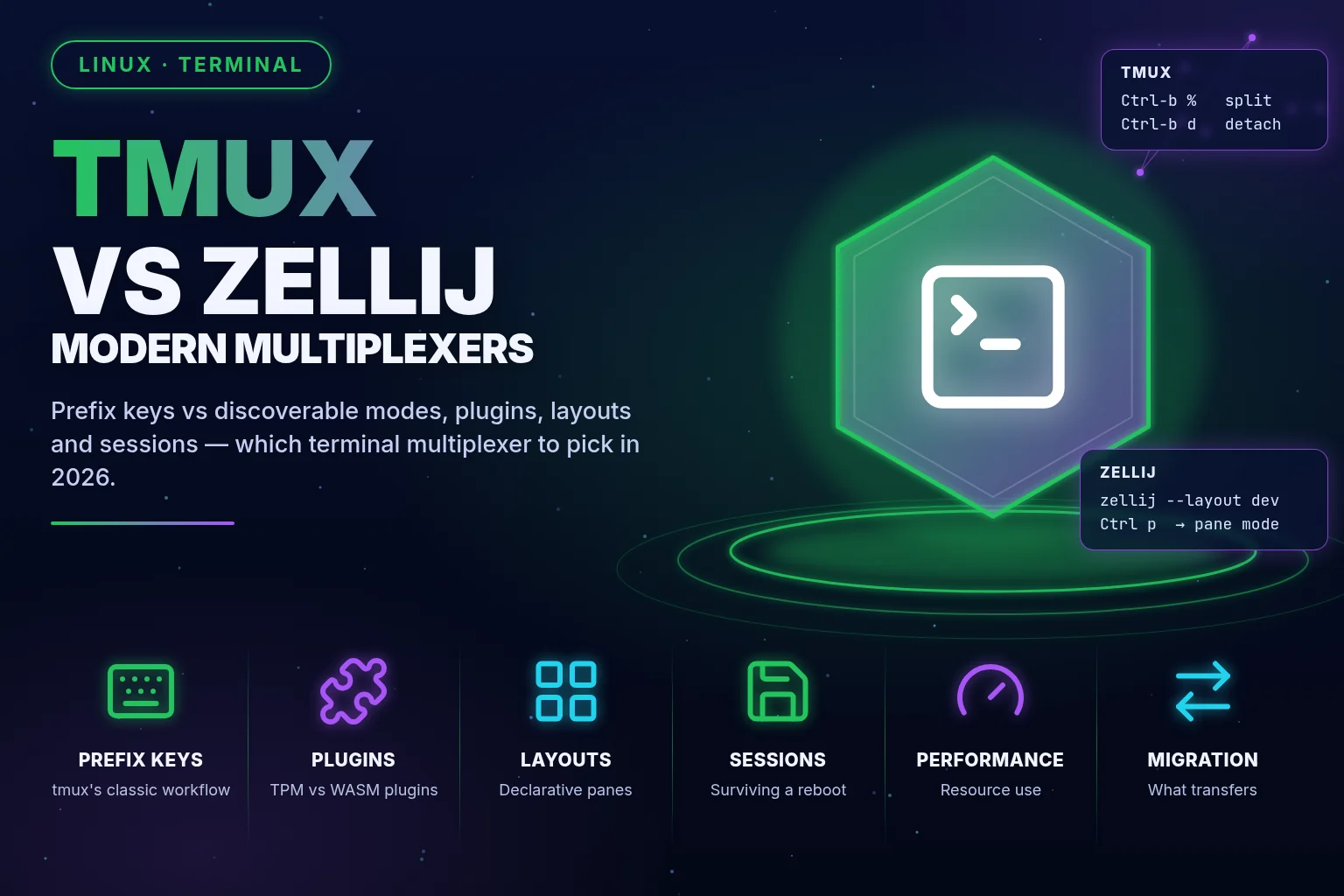
tmux vs Zellij: Modern Terminal Multiplexers for Linux in 2026
tmux vs Zellij compared for 2026 — classic pane/session workflow versus WASM plugins, built-in layouts, and session persistence. Which terminal multiplexer to pick.
On this page
I lost an eight-pane debugging session to a flaky VPN drop for the third time in a month, and that’s what finally got me to sit down and seriously compare tmux against Zellij instead of just grumbling and reattaching. I’ve run tmux for over a decade — muscle memory, a .tmux.conf I’ve been dragging between machines since 2014, plugins I half-remember installing. Zellij kept showing up in “modern CLI tools” roundups, so I spent two weeks running it as my daily driver instead of tmux, on the same servers, for the same work. Here’s what actually changed, what didn’t, and which one I’d tell you to install today.
Why a Terminal Multiplexer Still Matters in 2026
If you’re new to this category: a terminal multiplexer runs inside a single terminal window but lets you split it into multiple panes, organize those panes into windows/tabs, and — critically — keep all of it running on a remote server even after you disconnect. SSH into a box, start a build, close your laptop lid on the train, SSH back in from home, and the build is still running with its output still on screen. That’s the entire pitch, and it’s just as relevant in 2026 as it was when tmux first shipped: cloud terminals, ephemeral dev containers, and browser-based IDEs have not killed the need to keep a long-running remote shell session alive independent of your local connection.
Both tmux and Zellij solve this core problem. Where they diverge is in configuration philosophy, plugin architecture, and how much they assume you already know.
tmux’s Classic Workflow: Prefix Keys and Config Files
tmux, first released in 2007, is built around a prefix key (Ctrl-b by default) that puts you into “command mode” for one keystroke. Every action is a two-step chord: hit the prefix, then hit the command key.
tmux new -s work          # start a named session
# inside tmux:
Ctrl-b %                  # split pane vertically
Ctrl-b "                  # split pane horizontally
Ctrl-b c                  # new window
Ctrl-b d                  # detach, session keeps running
tmux attach -t work       # reattach later, from anywhere
This is powerful once internalized, and largely invisible until you internalize it. tmux ships with almost no discoverability built in — there’s no on-screen hint telling you what Ctrl-b does next, no menu, no help overlay by default. You learn it from a cheat sheet, a dotfile you copied from someone else, or a blog post like this one, and then it becomes fast enough that switching away feels like giving up a superpower.
Configuration lives in ~/.tmux.conf, a plain text file using tmux’s own config DSL:
# ~/.tmux.conf
set -g prefix C-a
unbind C-b
bind C-a send-prefix
set -g mouse on
set -g status-bg colour234
bind | split-window -h
bind - split-window -v
This is both tmux’s biggest strength and its biggest onboarding cost. Every rebind, every status bar color, every behavior tweak is something you write yourself, in a syntax specific to tmux. After years of iteration, most heavy tmux users end up with a config file that’s genuinely their own — but a brand new user staring at a stock tmux install with no .tmux.conf gets almost nothing: a thin green status line and a key combo they have to look up.
Extending tmux: TPM and the Plugin Ecosystem
tmux’s plugin ecosystem exists but bolts on externally via the Tmux Plugin Manager (TPM), a community project, not a built-in feature:
# ~/.tmux.conf
set -g @plugin 'tmux-plugins/tpm'
set -g @plugin 'tmux-plugins/tmux-resurrect'
set -g @plugin 'tmux-plugins/tmux-continuum'
run '~/.tmux/plugins/tpm/tpm'
tmux-resurrect and tmux-continuum deserve a special mention because they solve a gap in tmux’s core design: plain tmux does not survive a server reboot. A detached session survives your SSH disconnecting, but if the tmux server process itself dies — machine reboot, tmux kill-server, OOM killer — every session, pane, and window layout is gone. tmux-resurrect periodically snapshots your session layout to disk and can restore it (including, with configuration, the contents of running programs like vim or ssh) after that kind of hard restart. It’s an essential plugin for anyone running tmux on a server they don’t fully control the uptime of, but it’s worth knowing this is not something tmux gives you for free out of the box.
Zellij’s Modern Approach: Discoverability by Default
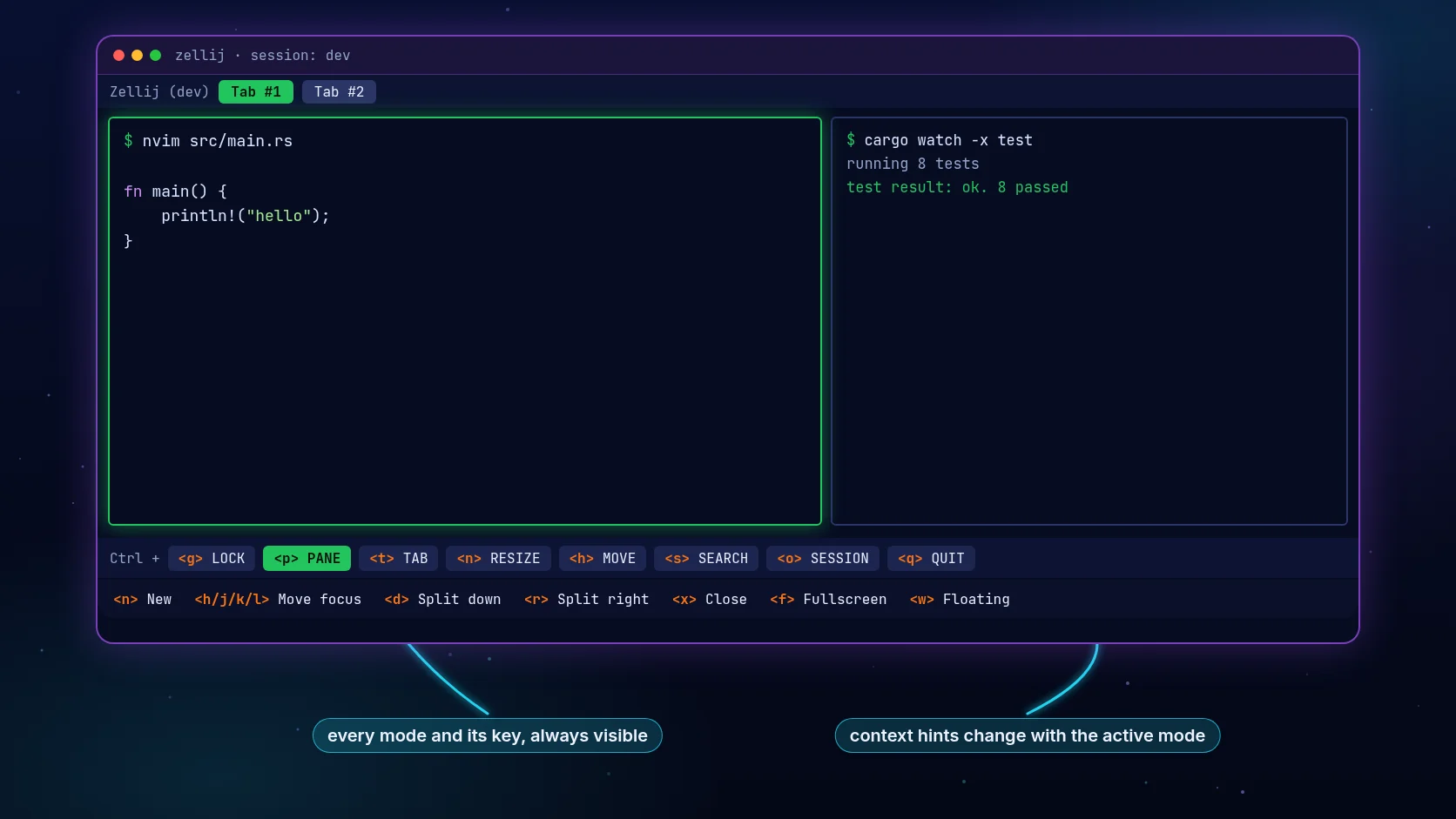
Zellij, written in Rust and first hitting a stable 1.0 in 2023, starts from a different assumption: that the user hasn’t memorized a chord table. Launch it with no config at all and you get a status bar at the bottom of the screen listing available key bindings for your current mode, updated live as you navigate:
zellij                     # launches into a default layout with visible keybinds
zellij attach work         # attach to (or create) a named session
zellij list-sessions       # see everything currently running
Instead of one universal prefix key for every action, Zellij uses modes — Normal, Pane, Tab, Resize, Session, and so on — that you switch into (Ctrl-p for pane mode, Ctrl-t for tab mode) and that each show their own contextual key hints on screen while active. You don’t need a cheat sheet open in another tab to remember that splitting a pane is Ctrl-p then n; it’s printed at the bottom of your terminal the moment you’re in pane mode. For a beginner, or for a team onboarding people onto shared server tooling who don’t want to hand out a keybinding reference sheet, this is a genuinely different experience from stock tmux.
Zellij Layouts: Declarative Panes Without Manual Splitting
Where tmux users script pane arrangements via shell scripts calling tmux split-window repeatedly, Zellij treats layouts as a first-class declarative concept using KDL (a config language, not a general scripting language):
// ~/.config/zellij/layouts/dev.kdl
layout {
    pane split_direction="vertical" {
        pane
        pane split_direction="horizontal" {
            pane command="htop"
            pane
        }
    }
    pane size=1 borderless=true {
        plugin location="zellij:status-bar"
    }
}
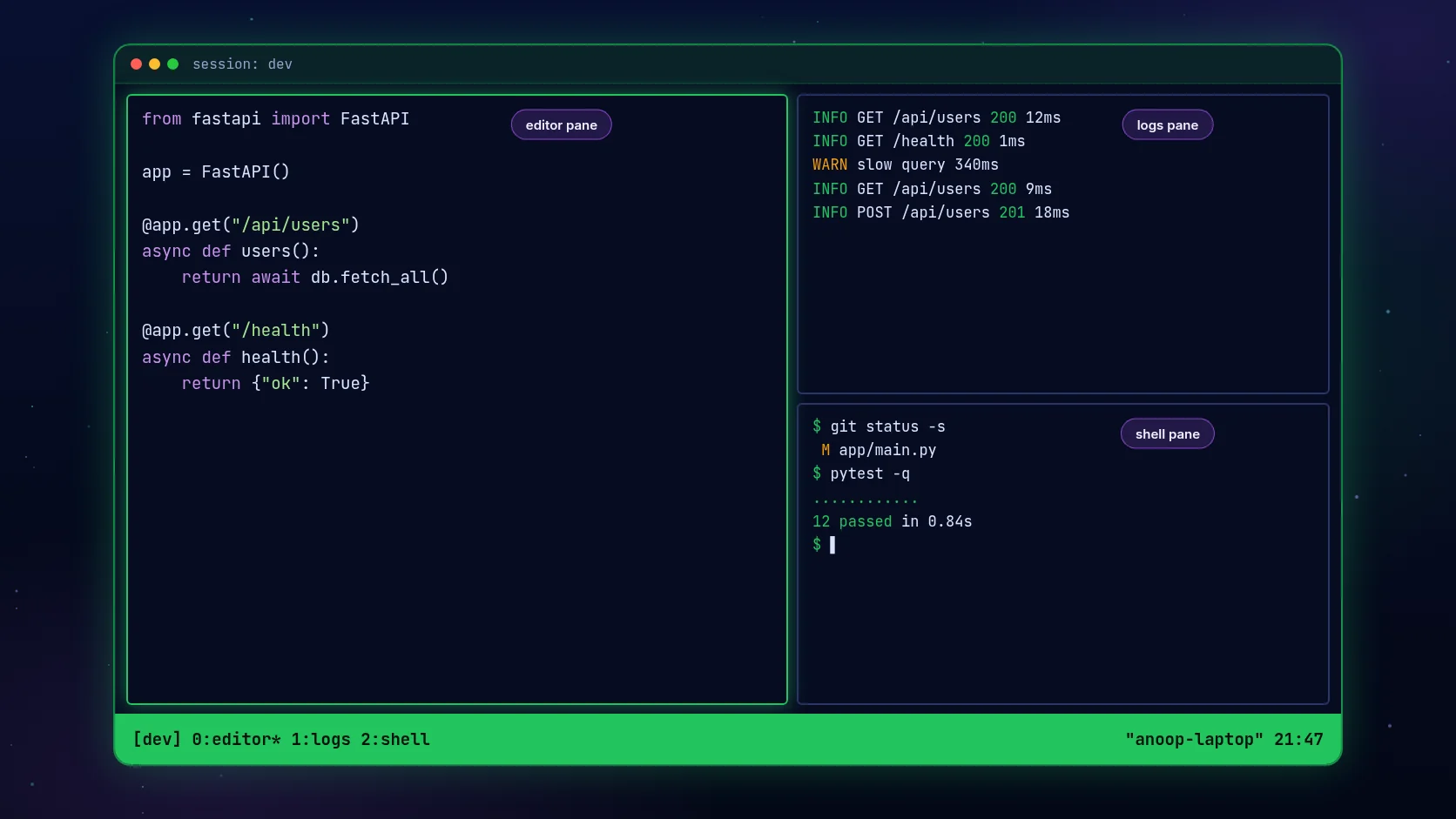
Launch it with zellij --layout dev, and you get the exact same pane arrangement every time — no shell script gluing together a sequence of split commands, no race conditions in a startup script hoping the panes come up in the right order. If your team has a standard “three panes: editor, logs, shell” arrangement for every project, a layout file is a much cleaner artifact to check into a repo than a tmux startup shell script.
WASM Plugins: Zellij’s Real Architectural Difference
The most substantive technical difference between the two tools is Zellij’s plugin system. tmux plugins are shell scripts and external binaries that hook into tmux via its command interface — functional, but they’re really just automating the same CLI you’d type manually. Zellij plugins are compiled to WebAssembly (WASM) and run in a sandboxed runtime embedded directly in Zellij itself, using a defined plugin API (zellij-tile) that Rust, Go, and other WASM-targeting languages can compile against.
Practically, this means Zellij plugins run faster and more safely than shelling out — no forking a subprocess per invocation, no risk of a plugin script leaving stray processes behind, and a plugin can render its own pane content directly rather than just sending terminal escape sequences. It also means the plugin ecosystem is younger and smaller than tmux’s battle-tested TPM catalog; if you depend on a very specific tmux plugin with no Zellij equivalent, that’s a real migration cost. But for anyone who wants to build custom tooling into their multiplexer — a pane that shows live Kubernetes pod status, a sidebar querying an internal API — WASM plugins are a fundamentally more capable foundation than shell scripts poking a CLI.
Session Persistence: How Each Tool Survives a Reboot
This is the feature that actually caused my VPN-drop debugging pain, so I tested it directly on both.
tmux, out of the box, only survives client disconnection — not server death. Detach, disconnect your SSH, reconnect, tmux attach: everything’s exactly as you left it. But tmux kill-server, a host reboot, or the tmux server process getting OOM-killed wipes every session unless you’ve installed and configured tmux-resurrect/tmux-continuum ahead of time, and even then, restoring the actual running processes inside panes (not just the pane layout) requires per-program hooks that don’t work for everything.
Zellij ships session resurrection built in, no plugin required. Detached (and even accidentally-killed) sessions get cached, and zellij attach --create <name> or the interactive session list will offer to resurrect a session’s layout after the Zellij process itself has died — including after a reboot, since Zellij persists session state to disk by default:
zellij list-sessions
# work [Created 2h ago]  (EXITED - can be resurrected)
zellij attach work
# resurrects layout automatically
This was the single biggest practical difference I found in two weeks of daily use. tmux’s persistence is opt-in and plugin-dependent; Zellij’s is on by default and requires zero setup. For anyone whose workflow is “SSH into unreliable infrastructure and hope the session survives,” that default matters more than any keybinding difference.
Performance and Resource Use
Both are lightweight compared to almost anything else on a modern server — this isn’t a category where either tool will show up in your top output as a problem. tmux, written in C, has a marginally smaller memory footprint at idle. Zellij, written in Rust, is close behind and the gap is not something you’ll notice on any machine built in the last decade; where it can show a difference is under heavy plugin load, since spinning up several WASM plugin instances costs more than tmux’s near-zero idle overhead. For a typical dev workflow — a handful of panes, maybe one or two plugins — the performance difference between the two is not a deciding factor either way.
Migrating from tmux to Zellij: What Actually Transfers
If you’re tmux-fluent and curious about Zellij, the friction points worth knowing up front:
- Keybindings don’t map 1:1. Zellij’s mode-based system is a different mental model from tmux’s flat prefix-chord system. You can configure Zellij to mimic tmux’s prefix-key behavior via its config, which softens the transition, but doing so also throws away the discoverability that’s Zellij’s main selling point.
.tmux.confdoesn’t port. Zellij’s config is KDL, not tmux’s DSL. There’s no automated converter for anything nontrivial; expect to rebuild custom bindings and layout logic by hand.- Copy-mode differs. tmux’s vi-style copy mode (
Ctrl-b [) is deeply familiar to a lot of terminal users; Zellij has its own scrollback/copy mode with different defaults worth relearning. - Status bar plugins aren’t interchangeable. A custom tmux status-bar script (often built on
tmux-powerlineor hand-rolled shell) won’t run in Zellij; you’d rebuild the equivalent as a WASM plugin or use one from Zellij’s plugin ecosystem.
None of these are blockers, but “just switch, it’s basically the same” undersells the actual relearning involved.
Which One to Pick in 2026
My honest answer after two weeks of parallel daily use: it depends on which problem you actually have.
- Pick tmux if you already have years of muscle memory and a working
.tmux.conf, if you SSH into a wide variety of servers where you can’t guarantee Zellij is installed (tmux is far more likely to already be present on an arbitrary Linux box), or if you rely on a mature tmux-specific plugin with no Zellij equivalent. - Pick Zellij if you’re new to terminal multiplexers and want built-in discoverability instead of a cheat sheet, if session persistence across reboots matters to your workflow and you don’t want to configure a plugin to get it, or if you want declarative, shareable layout files for a team’s standard dev setup.
- Run both, honestly, is a reasonable answer too — I still reach for tmux on servers where it’s the only thing installed, and Zellij on my own machines and containers where I control the tooling. They’re not mutually exclusive; they’re both just SSH-friendly, and neither locks you out of using the other.
FAQ
Is Zellij a replacement for tmux, or a different tool entirely? It solves the same core problem — panes, windows, and persistent remote sessions — so functionally it’s a direct alternative. The architecture underneath (WASM plugins, mode-based UI, KDL layouts) is different enough that it’s not a drop-in swap.
Does Zellij support tmux-style keybindings? Yes, Zellij’s config supports remapping to a prefix-key style closer to tmux, which many switchers use during the transition period.
Which is faster, tmux or Zellij? Both are lightweight enough that idle performance differences are negligible for typical use. tmux has a slightly smaller baseline footprint; Zellij’s overhead grows a bit with heavy WASM plugin use.
Can I use Zellij over SSH the same way as tmux? Yes — that’s the primary use case for both. Start a named session on the remote host, detach, reconnect later, attach back into it.
Does tmux survive a server reboot? Not by default — a reboot kills the tmux server and every session with it, unless you’ve installed and configured tmux-resurrect/tmux-continuum beforehand. Zellij includes session resurrection without any plugin.
Is Zellij available on all major Linux distros? Yes, it’s packaged for Ubuntu, Debian, Fedora, Arch, and available via Cargo/Homebrew for anywhere else, though it’s less universally preinstalled than tmux on minimal server images.
Closing Thought
Neither tool is wrong, and this isn’t the kind of comparison where one side is secretly worse. tmux earned its position over nearly two decades of being the reliable, ubiquitous, script-everything option, and that ubiquity is a real advantage when you don’t control what’s installed on the box you’re SSHing into. Zellij is what a terminal multiplexer looks like when it’s designed today, with the assumption that discoverability and safe defaults matter as much as raw capability. I’m keeping both installed — but the next time a VPN drop takes out an SSH session on a machine I actually control, I already know which one is going to hand my panes back to me without a plugin I forgot to configure.