OpenClaw: The Open-Source Project That Exploded to 200K+ GitHub Stars in 2026
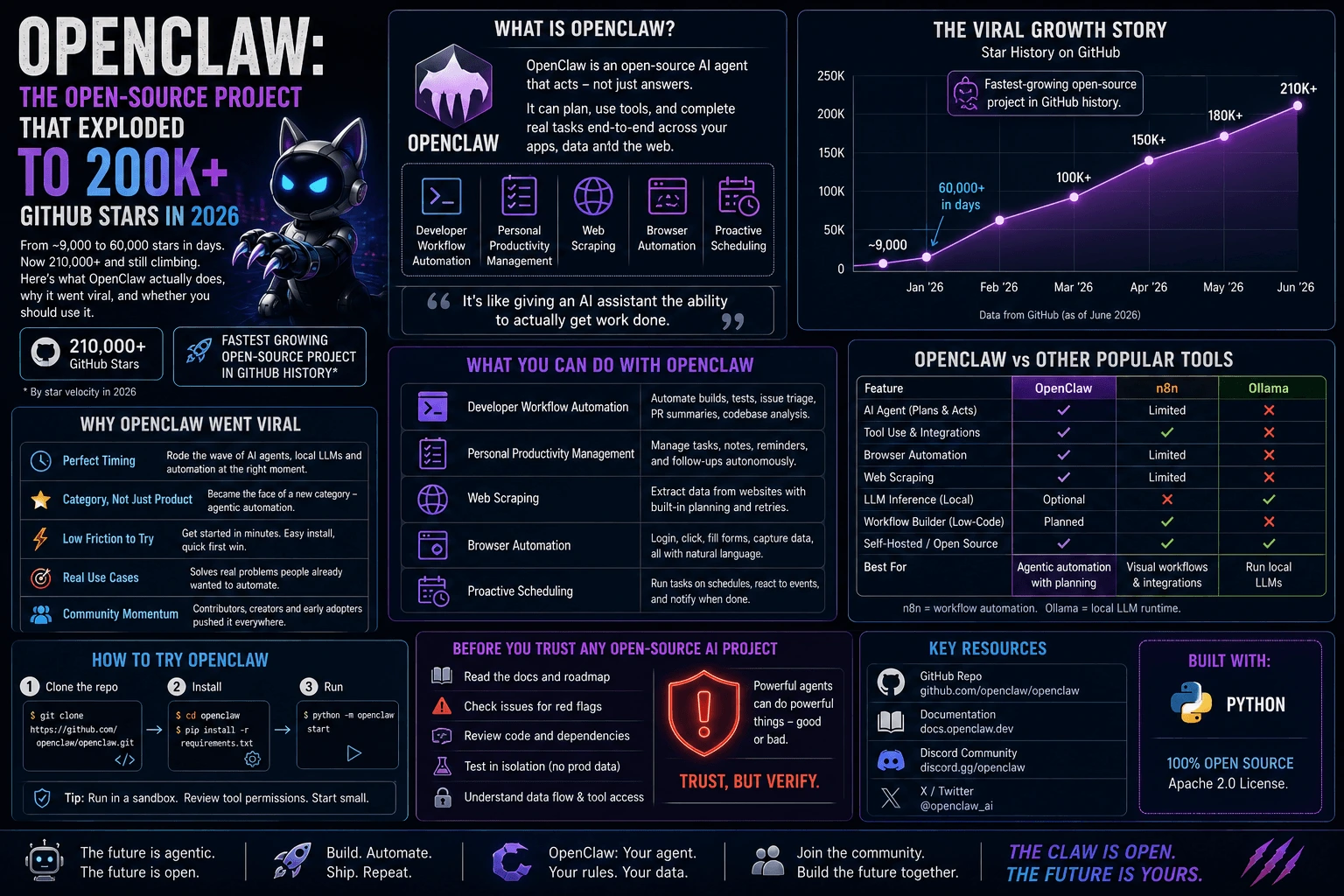
I keep a mental list of repos I check “just in case something’s happening.” OpenClaw wasn’t on that list until late January, when it jumped from roughly 9,000 stars to over 60,000 in a matter of days. That kind of curve doesn’t happen by accident on GitHub — it happens when a project hits a nerve. Months later, it’s sitting past 210,000 stars, and it’s worth actually understanding what it is, why it took off, and whether “everyone’s starring it” is a good enough reason for you to install it.
What Is OpenClaw, In Plain Terms
OpenClaw is an open-source AI agent project that’s been described, fairly, as the breakout star of 2026 — arguably the fastest-growing open-source project in GitHub’s history by star velocity. The pitch that got it there is simple: instead of another chat window, you get an agent that can act — running developer workflow automation, managing personal productivity tasks, doing web scraping, driving browser automation, and handling proactive scheduling without you babysitting every step.
That “acts instead of just answers” framing is the same shift that’s been reshaping AI tooling all year — agents that call tools, chain steps, and complete tasks end to end rather than producing a paragraph you then have to go implement yourself. OpenClaw rode that wave harder and faster than almost anything else has.
I want to be upfront about scope here: this post covers what OpenClaw is used for and why it caught fire, based on how it’s been described and adopted publicly. I’m not going to invent specifics about its internal architecture, model choices, or exact configuration flags that I haven’t verified — if you’re evaluating it for real use, read the repo’s own docs before you build anything serious on top of it.

Why OpenClaw Went Viral
A few things lined up at once, and none of them individually would have produced a curve this steep.
Timing. Late January 2026 landed squarely in the middle of a broader wave — AI agents, local LLMs, and workflow automation tools were already growing faster than commercial SaaS competitors in the same categories. OpenClaw didn’t create that trend; it surfed it at exactly the right moment, which is a huge part of any viral open-source story. The same code released a year earlier or a year later almost certainly gets a fraction of the attention.
Category, not just product. People weren’t only starring OpenClaw for what it does today — they were starring it as a bet on where agentic tooling is going. When a project becomes the visible face of a category (the way certain tools become synonymous with “the local LLM one” or “the workflow automation one”), star growth stops tracking feature releases and starts tracking category hype. That’s a double-edged sword, which I’ll come back to.
Low friction to try. Fast-growing open-source AI projects in 2026 tend to share one trait: you can get from “I heard about this” to “I have it running” in a few minutes, not a few hours. Anything that requires a multi-day setup before you can form an opinion loses the viral window before it even opens.
Real use cases, not just demos. The use cases attached to OpenClaw — developer workflow automation, personal productivity management, web scraping, browser automation, proactive scheduling — are all things people already wanted automated and were previously stitching together from three or four separate tools. A project that consolidates that into one thing has an obvious “why would I not try this” pitch.
OpenClaw Use Cases: Developer Workflow Automation And Beyond
The use cases that keep coming up around OpenClaw fall into a few buckets:
- Developer workflow automation — chaining repetitive dev tasks (checking builds, triaging issues, running routine scripts) without a human kicking off every step manually.
- Personal productivity management — the “digital assistant” framing: managing todos, following up on tasks, keeping a running state of what needs attention.
- Web scraping — pulling structured data from pages that don’t offer a clean API, a use case that’s driven agent adoption for years and still hasn’t gone away.
- Browser automation — controlling a real browser session to click, fill forms, and navigate, rather than relying on brittle API integrations that may not exist for a given site.
- Proactive scheduling — an agent that doesn’t just wait to be asked, but flags or acts on time-based triggers on its own.
Notice the pattern: none of these are new problems. What’s new is one open-source project consolidating several of them under a single agent framework, which is exactly the kind of thing that gets adopted fast because it replaces glue code people were already writing badly.

How To Try OpenClaw
If you want to poke at it yourself, the general shape of getting an agent project like this running typically looks like this (illustrative — check OpenClaw’s own README for exact commands, flags, and current dependencies before you run anything):
# clone the repo
git clone https://github.com/<org>/openclaw.git
cd openclaw

# install dependencies (varies by release — check requirements.txt / package.json)
pip install -r requirements.txt
# or: npm install

# set required environment variables (API keys, config)
cp .env.example .env
# edit .env with your credentials

# run a first, sandboxed task
python -m openclaw run --task "summarize this week's open issues"
Treat that block as a template for “what a typical install/quickstart flow looks like for a project in this category,” not a copy-paste guarantee — commands, package names, and flags change release to release, and I’d rather you check the live docs than trust a snapshot that could go stale.
A few things worth doing before you point it at anything real:
- Run it in a sandbox first. Anything that does browser automation or executes tasks on your behalf should get a throwaway environment before it touches your real accounts or file system.
- Read what permissions it’s asking for. Web scraping and browser automation tools often want broad access — decide deliberately what you’re comfortable granting.
- Start with a low-stakes task. Don’t hand a brand-new agent your production deploy pipeline on day one. Give it something reversible first.
OpenClaw vs Other Trending Open-Source AI Projects In 2026
OpenClaw isn’t operating in a vacuum — 2026 has been a genuinely crowded year for open-source AI tooling. Here’s roughly where it sits next to the other names that keep coming up:
| Project | Rough Star Count (2026) | Primary Focus |
|---|---|---|
| OpenClaw | 210,000+ | Agentic automation, browser control, scheduling |
| n8n | 180,000+ | Visual workflow automation engine |
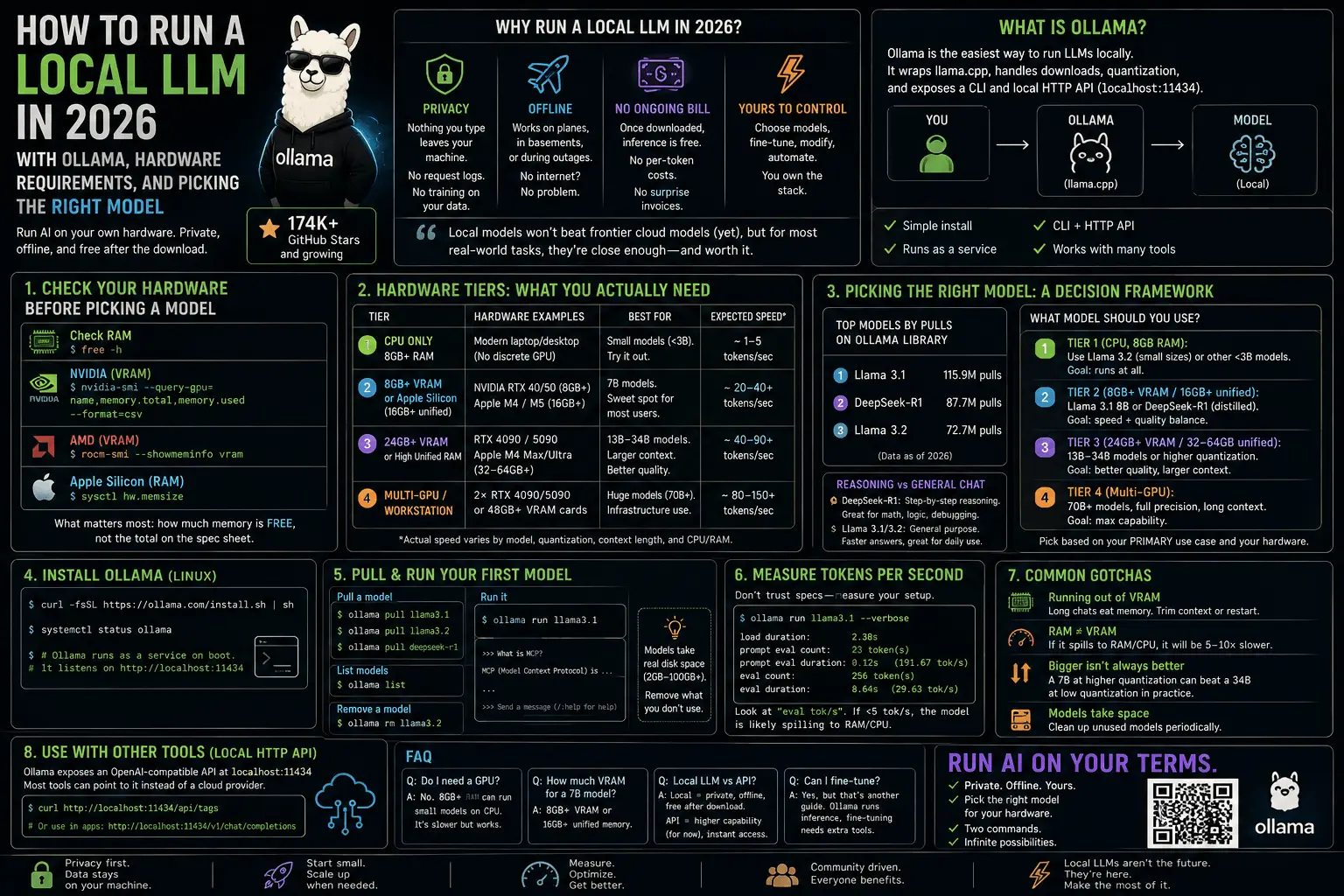
| Ollama | 174,000+ | Running LLMs locally |
| Dify | Trending | LLM app / agent builder platform |
| Open WebUI | Trending | Self-hosted chat interface for local models |
| Browser Use | Trending | Agent-driven browser control library |
A pattern jumps out immediately: the categories dominating open-source AI in 2026 are agents, local LLMs, automation, and workflow engines — and they’re growing faster than their commercial SaaS counterparts in the same spaces. OpenClaw isn’t an outlier in what it does; it’s an outlier in how fast it did it.
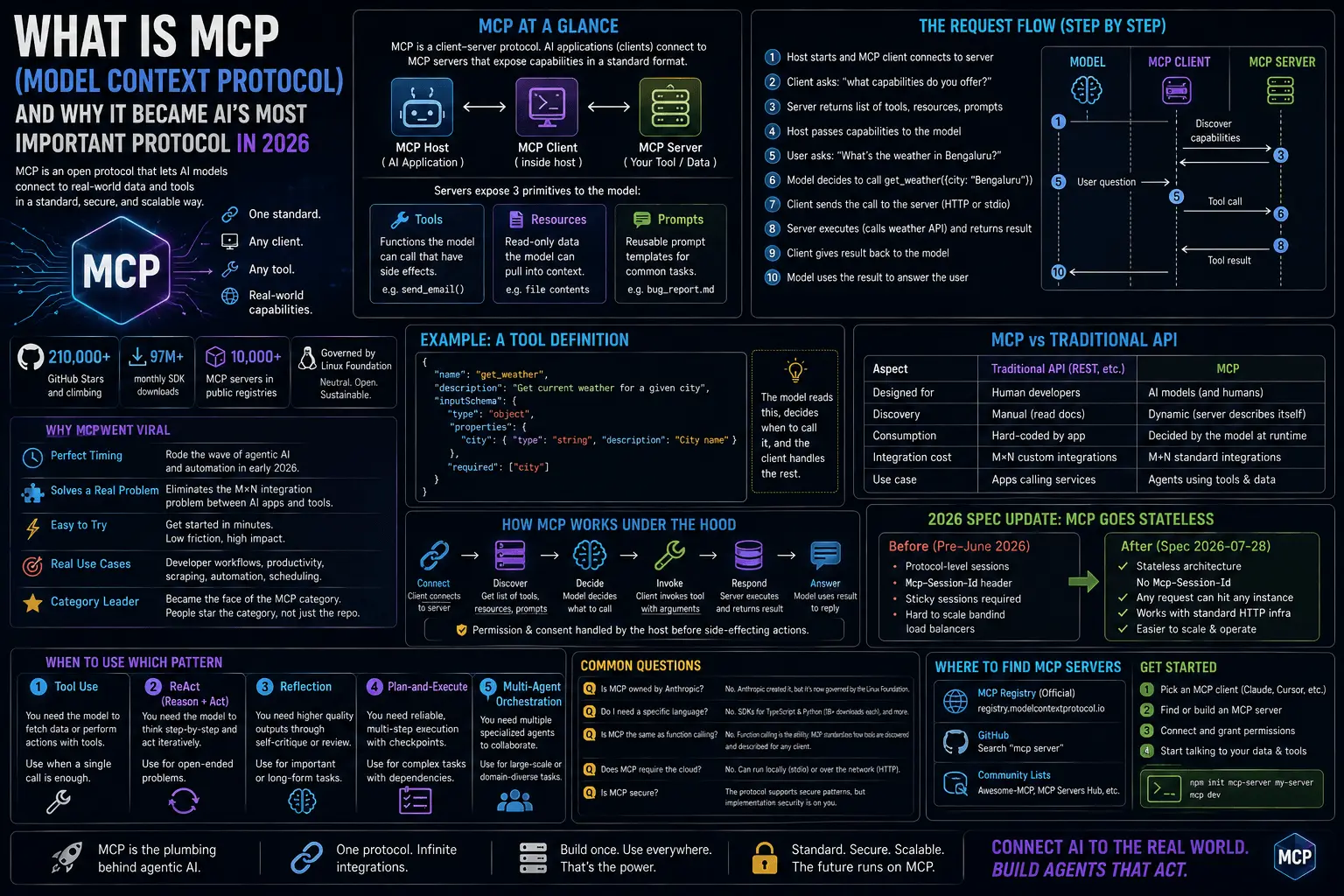
Worth noting: the official MCP (Model Context Protocol) repositories have also been part of this same wave, since a growing share of these agent tools — OpenClaw included — lean on standardized protocols for connecting agents to tools and data sources rather than reinventing that plumbing themselves.
The Bigger Picture: Open-Source AI Is Having A Moment
OpenClaw’s curve looks less like a fluke once you zoom out. GitHub’s Octoverse 2025 report counted more than 4.3 million AI-related repositories on the platform, with LLM-focused projects up 178% year over year. That’s not a niche growing steadily — that’s a category exploding, and OpenClaw happened to be the single most visible spike inside it.
This matters for how you should read “200,000+ stars” as a signal. Stars measure attention, not necessarily production-readiness. In a year where AI repo creation is up nearly 180% year over year, a lot of stars are curiosity clicks and category bets, not endorsements from teams running the thing in production. That’s not a knock on OpenClaw specifically — it’s just the honest context star counts need in 2026.
How To Evaluate A Fast-Growing Open-Source Project Responsibly
Before you build anything real on top of a project riding a hype curve — OpenClaw or otherwise — it’s worth running it through a short checklist instead of just trusting the star count.
Check maintenance activity
Look at the commit history, not just the star graph. Are issues getting responses? Are PRs getting merged, or piling up unreviewed? A project can have six figures of stars and a maintainer team that’s quietly underwater trying to keep up with the sudden attention.
Check security posture
For anything that automates browser sessions, scrapes the web, or runs scheduled tasks on your behalf, security posture isn’t optional. Look for a documented security policy, recent dependency updates, and whether past vulnerabilities were disclosed and patched promptly. An agent with broad permissions is exactly the kind of thing you don’t want to install on trust alone.
Check the license
Open source doesn’t mean license-free. Confirm what you’re actually allowed to do — commercial use, modification, redistribution — before you build a business process around a project’s continued existence under its current terms.
Check community health
A healthy project has more than one person who understands the codebase. Look at contributor diversity, how discussions get resolved, and whether there’s a real roadmap or just a founder occasionally pushing commits. Star count tells you what got attention. Contributor count and issue-response time tell you what’s actually sustainable.
Check for a stable release, not just main branch hype
Viral growth often outruns a project’s release discipline. Check whether there’s a tagged, versioned release you can pin to, rather than tracking main on a project still stabilizing its API under sudden load.
Is OpenClaw Safe To Use? FAQ
Is OpenClaw actually the fastest-growing open-source project ever on GitHub? By star velocity — the speed at which it accumulated stars after going viral in late January 2026 — it’s been described that way. Star velocity and long-term significance aren’t the same measurement, though; plenty of fast risers plateau or fade once the initial hype cycle passes.
What does OpenClaw actually do? Broadly: agentic automation. Reported use cases include developer workflow automation, personal productivity management, web scraping, browser automation, and proactive scheduling — an agent that acts on tasks rather than just answering questions about them.
Is OpenClaw safe to run? Treat it the way you’d treat any project with broad automation permissions and a very new, very large user base: sandbox it first, check its security disclosures, and don’t grant it access you’re not prepared to review.
How is OpenClaw different from n8n or Ollama? n8n is primarily a visual workflow automation engine; Ollama is primarily about running LLMs locally. OpenClaw’s pitch overlaps with both — automation plus agent behavior — but it’s not a drop-in replacement for either; they solve adjacent, not identical, problems.
Should I use OpenClaw in production right now? That depends entirely on your risk tolerance and how the checklist above shakes out when you actually run it against the current state of the repo. A star count, however large, isn’t a production readiness signal by itself.
Closing Thought
Star counts make for a good headline, but they’re a lagging indicator of attention, not a leading indicator of quality. OpenClaw’s climb from 9,000 to 210,000+ stars says something real about where developer attention is pointed in 2026 — agents, automation, and tools that act instead of just answering. Whether it earns a permanent place in your stack is a separate question, and it’s one worth answering by reading the docs and running the checklist above, not by watching the star graph go up.