What's New in Flutter 3.44 and Dart 3.12: Agentic Hot Reload and Genkit AI
Flutter 3.44 has been out since May, and by the time I got around to actually upgrading a project, I realized I’d been ignoring the more interesting half of the release. It’s not just UI widgets anymore — it’s AI tooling baked straight into the framework. I spent a weekend actually using Agentic Hot Reload, wiring up a Genkit flow, and pointing an AI coding assistant at the new Dart and Flutter MCP Server. This post is the long version of what I found, including the code, the setup commands, and where I think this stuff is actually useful versus where it’s still rough.
Flutter 3.44 and Dart 3.12: the overview and why it matters
Every Flutter release brings the usual pile of widget tweaks, rendering engine fixes, and platform channel updates. Flutter 3.44 and Dart 3.12 have those too, but the headline story is different — this is the release where the Flutter team leaned all the way into “AI-native development” as a first-class concern instead of a side project.
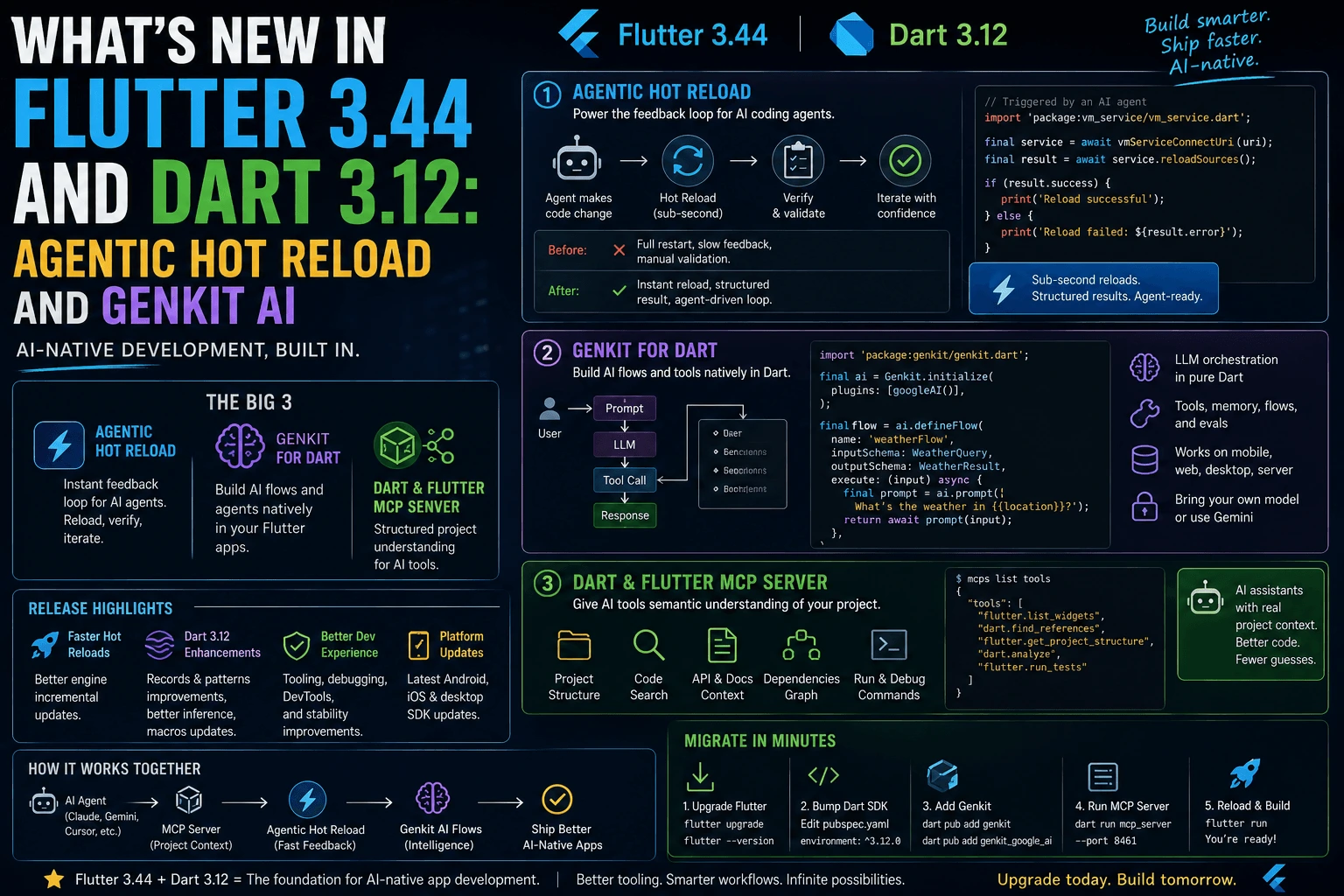
Three things define this release for me:
- Agentic Hot Reload — the classic hot reload loop, but exposed in a way AI coding agents can drive and verify against, not just humans.
- Genkit for Dart — Google’s AI orchestration framework, previously JS/Go only, now has a proper Dart implementation that runs in the same process as your Flutter app.
- The Dart & Flutter MCP Server — a Model Context Protocol server that gives AI tools structured, semantic access to your Flutter project instead of forcing them to grep through source files.
Why does this matter beyond “cool, more AI buzzwords”? Because the actual pain point these three features attack is real: AI coding agents are increasingly writing Flutter code, but until now they’ve been flying half-blind — no fast feedback loop, no native way to call an LLM without leaving Dart, and no structured understanding of what a Flutter project even looks like. Flutter 3.44 closes all three gaps in the same release, which is why I think it’s more significant than a typical point release even though the widget-level changes are modest.
Agentic Hot Reload: how it works and why it’s different from regular hot reload
Hot reload has always been Flutter’s party trick — change code, see it update in under a second, no full rebuild, no lost app state. That loop is why Flutter development feels fast even on complex UIs. Agentic Hot Reload extends that same instant-feedback mechanism to AI coding agents working inside your Flutter project, but the mechanics of why it matters are worth unpacking.
Under the hood, regular hot reload works by injecting updated Dart code into the running Dart VM and re-running build() methods, without restarting the app or losing widget state. It’s fast because it skips the compile-link-launch cycle entirely. Agentic Hot Reload exposes that same VM-level injection path through a structured interface an agent can call programmatically — the agent doesn’t need to shell out to flutter run and parse terminal output to know if a change worked. It gets a direct signal: reload succeeded, here’s the resulting widget tree state, here’s whether an exception was thrown during rebuild.
That distinction — a structured success/failure signal instead of scraped terminal output — is the actual engineering improvement. It sounds small, but it changes the shape of an agent’s workflow entirely.
Before/after: what changes in the actual workflow
Before Agentic Hot Reload, an AI coding agent editing a Flutter widget had to:
- Write the code change to a file.
- Trigger a full
flutter runor restart, or ask the human to confirm it looks right. - Parse console output or a screenshot to guess whether the change worked.
- Repeat, with no reliable way to distinguish “compiled fine but looks wrong” from “crashed.”
After Agentic Hot Reload, the same loop looks like:
- Write the code change to a file.
- Call the reload endpoint directly — no full rebuild, sub-second turnaround.
- Get back a structured result: reload succeeded/failed, any rebuild exceptions, and (depending on tooling) a widget tree diff.
- Iterate immediately on the next fix if something’s still off, in the same session, without waiting on a human to eyeball a screenshot.
If you’ve ever watched an AI agent “fix” a layout bug, declare success, and then be wrong because it never actually saw the rendered result, this is the feature that closes that gap. It’s the difference between an agent guessing a fix worked and observing that it worked, in the same tight loop a human developer already relies on.
Genkit for Dart: what it is and a fuller working example
Genkit is Google’s open-source framework for building AI-powered application logic — flows, prompts, tool calls, retrieval steps — with a consistent structure regardless of which model or vector store backs it. It started life as a JS and Go framework used mostly for backend AI services. The genuinely new part in this release is that Genkit now has a first-class Dart implementation that runs inside your Flutter app’s own process, using the same pubspec.yaml-managed dependencies as everything else.
Practically, that means you can wire an LLM call, a tool-calling flow, or a RAG-style retrieval step into a Flutter app using the same idioms you already use for the rest of your Dart code — no separate Node or Python microservice just to make one Gemini call.
Here’s the simple case, a single summarization flow:
import 'package:genkit/genkit.dart';

final summarizeFlow = defineFlow(
  name: 'summarize',
  inputSchema: StringSchema(),
  outputSchema: StringSchema(),
  handler: (input) async {
    final response = await generate(
      model: geminiPro,
      prompt: 'Summarize this: $input',
    );
    return response.text;
  },
);
That’s fine for a demo, but it doesn’t show what actually makes Genkit interesting: composing a tool call and a retrieval step into one flow. Here’s a fuller example — a support-ticket triage flow that looks up related past tickets (a RAG-style step) and calls a tool to check current system status before generating a response:
import 'package:genkit/genkit.dart';

// A tool the model can decide to call mid-flow.
final checkSystemStatusTool = defineTool(
  name: 'checkSystemStatus',
  description: 'Returns current status of backend services',
  inputSchema: ObjectSchema({'service': StringSchema()}),
  outputSchema: StringSchema(),
  handler: (input) async {
    final service = input['service'] as String;
    // In a real app this hits your status API.
    return service == 'auth' ? 'degraded' : 'operational';
  },
);

// A RAG-style retrieval step against a vector store of past tickets.
Future<List<String>> retrieveSimilarTickets(String query) async {
  final results = await vectorStore.similaritySearch(
    query: query,
    topK: 3,
  );
  return results.map((r) => r.content).toList();
}

final triageFlow = defineFlow(
  name: 'triageTicket',
  inputSchema: StringSchema(),
  outputSchema: StringSchema(),
  handler: (ticketText) async {
    final similarTickets = await retrieveSimilarTickets(ticketText);

    final response = await generate(
      model: geminiPro,
      tools: [checkSystemStatusTool],
      prompt: '''
        New support ticket: $ticketText

        Similar past tickets for context:
        ${similarTickets.join('\n---\n')}

        Check relevant system status if needed, then draft a
        triage note with severity and suggested next step.
      ''',
    );

    return response.text;
  },
);
Run it from anywhere in your Flutter app — a button handler, a background isolate, a Cloud Function calling into shared Dart code — with:
final result = await triageFlow('Users can't log in since this morning');
print(result);
The model here can decide, on its own, to call checkSystemStatusTool before answering, and it has retrieved context from retrieveSimilarTickets already folded into the prompt. That’s the actual shape of Genkit’s value: flows, tools, and retrieval composed as ordinary Dart functions and schemas, type-checked at compile time, instead of hand-rolled JSON prompt strings glued together in a separate service.
That’s a genuinely new category of Flutter app — not “app with a chat widget bolted on,” but AI as a native part of the app’s logic layer, versioned and tested alongside the UI code that calls it.
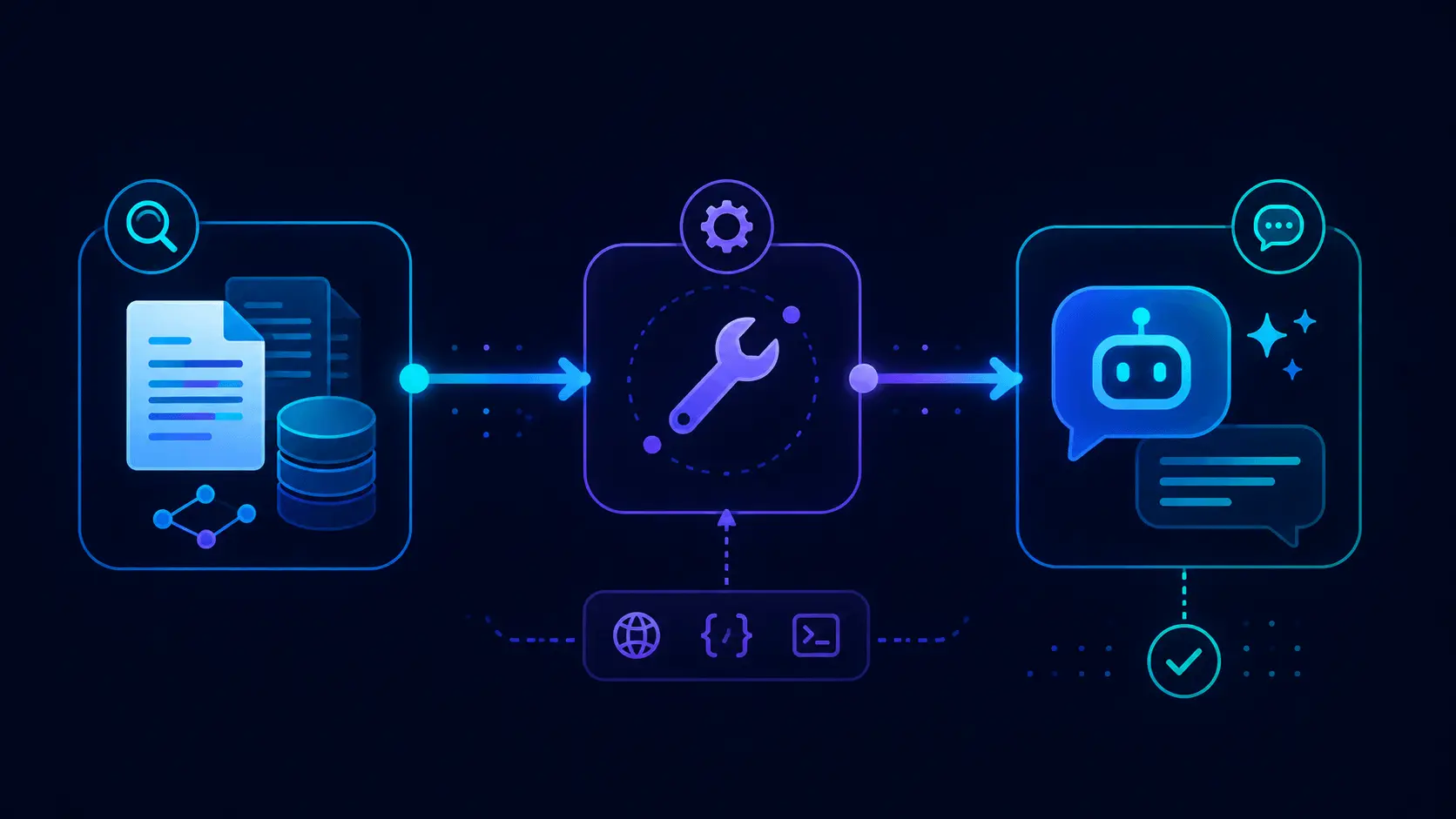
The Dart & Flutter MCP Server, explained
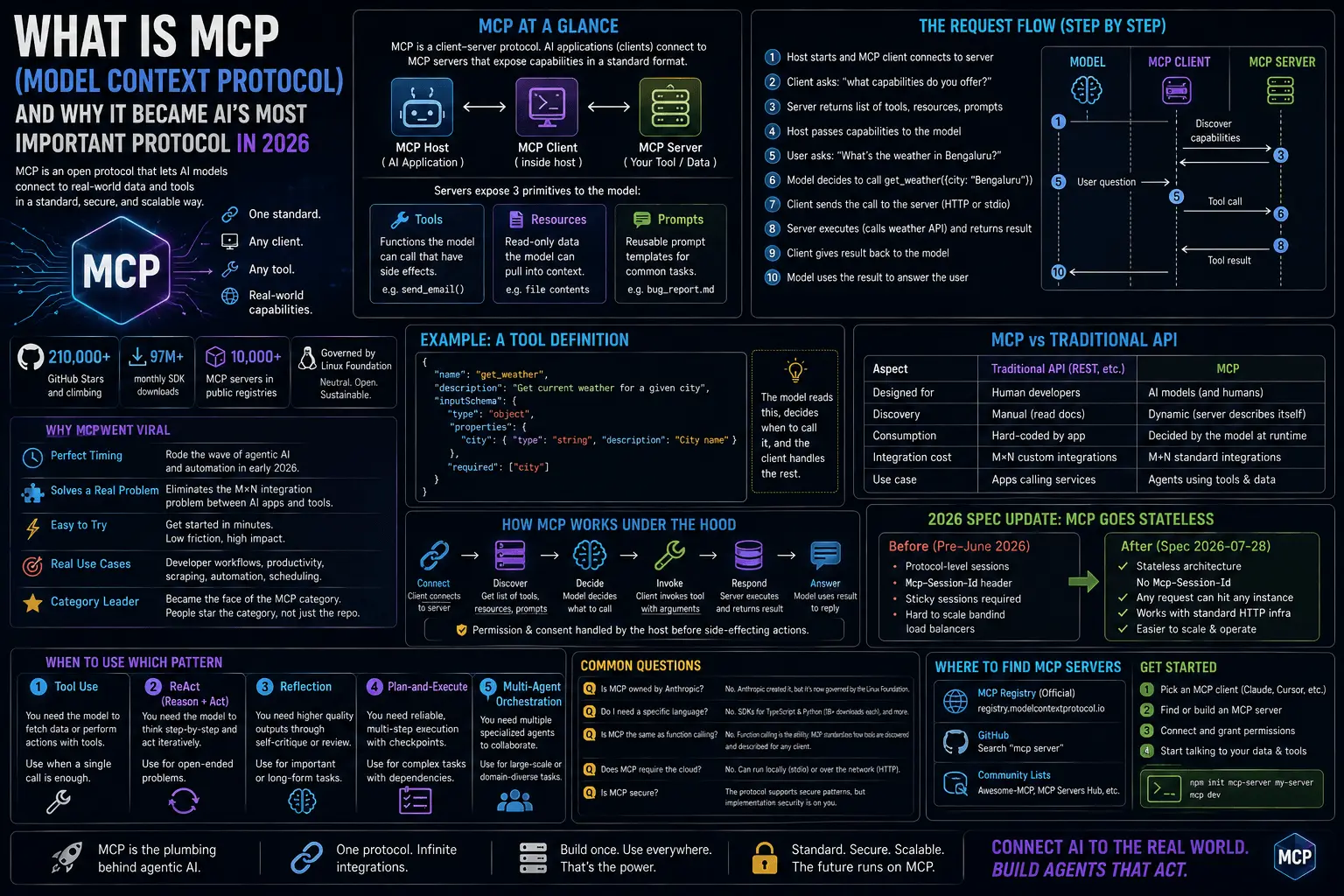
If you haven’t run into Model Context Protocol (MCP) yet: it’s an open protocol, originally from Anthropic, for giving AI tools structured access to context and actions — think of it as a standard plug shape so any MCP-aware AI assistant can talk to any MCP-exposing tool or data source without custom integration code for each pair.
The Dart and Flutter MCP Server is Google’s MCP server for Flutter projects specifically. Instead of an AI coding assistant reading raw .dart files and guessing at your project’s shape, the MCP server exposes structured, semantic information: your widget tree, pubspec.yaml dependencies and their versions, configured platform targets, active routes, and (combined with Agentic Hot Reload) live reload status.
Concretely, this is what changes for you day to day:
- Fewer hallucinated APIs. An agent querying the MCP server knows exactly which package versions are in your
pubspec.yaml, so it stops suggesting APIs from a Riverpod version you’re not using. - Project-aware suggestions. Ask an MCP-connected assistant to “add a new screen” and it already knows your routing setup and folder conventions instead of inventing its own.
- Faster diagnosis. Combined with Agentic Hot Reload, an agent can query live widget tree state through MCP, spot the actual broken node, and target a fix — rather than pattern-matching on an error string.
If you’re using an AI coding assistant like Gemini Code Assist or Gemini CLI on a Flutter codebase, this is what makes its suggestions genuinely Flutter-aware instead of generic Dart guesses bolted onto a general-purpose model.
How to try this today: step-by-step setup
Here’s the actual migration path I used, in order.
1. Check your current version and upgrade Flutter:
flutter --version
flutter channel stable
flutter upgrade
Confirm you’re on Flutter 3.44.x and Dart 3.12.x:
flutter --version
# Flutter 3.44.x • Dart 3.12.x
2. Add Genkit to your project’s pubspec.yaml:
dependencies:
  flutter:
    sdk: flutter
  genkit: ^1.0.0
  genkit_google_ai: ^1.0.0
Then fetch packages:
flutter pub get
3. Set your model provider API key (Gemini, in this example) as an environment variable rather than hardcoding it:
export GEMINI_API_KEY="your-key-here"
4. Enable the Dart & Flutter MCP Server for your editor/agent of choice. For an MCP-compatible client, add an entry pointing at the Dart MCP server binary — typically via your editor’s MCP server configuration file:
{
  "mcpServers": {
    "dart": {
      "command": "dart",
      "args": ["mcp-server"]
    }
  }
}
Restart your editor or AI CLI tool after saving that config so it picks up the new server.
5. Verify Agentic Hot Reload is active by running your app in debug mode as usual:
flutter run
An MCP-aware agent connected to the running session should now be able to trigger reloads and read back structured results without you manually confirming each change in a screenshot.
That’s the whole migration for a typical existing project — no breaking API changes forced the upgrade for me, which matched what the changelog promised.
Other notable changes in 3.44 and 3.12 worth mentioning
Beyond the three headline features, a few smaller changes are worth knowing about if you’re upgrading anyway:
- Dart 3.12 pattern matching refinements — small ergonomic improvements to destructuring in
switchexpressions, reducing boilerplate in state-management code that leans on sealed classes. - Improved DevTools integration for AI sessions — DevTools can now show which changes came from an agent-driven Agentic Hot Reload call versus a manual edit, useful when you’re pairing with an agent and want an audit trail.
- Incremental build performance tweaks — not AI-related at all, just a general reduction in cold build times on larger projects, which is welcome regardless of whether you touch any of the new AI tooling.
- Create with AI workflow — a scaffolding flow in supported IDEs that uses the MCP server plus Genkit to generate a starter screen from a natural-language description, wired directly into your existing project conventions rather than a generic template.
None of these are release-defining on their own, but they round out the release as more than just “the AI update.”
FAQ
Is Flutter 3.44 stable? Yes. It’s been on the stable channel since May and is already several patch releases in (3.44.7 as of this writing), so the rough edges from the initial release have had time to settle.
What is Genkit in Dart? Genkit is Google’s framework for building AI application logic — LLM calls, tool calling, and retrieval-augmented flows — defined as typed, composable Dart functions. The Dart implementation runs in-process with your Flutter app instead of requiring a separate backend service.
Do I need the MCP server to use Genkit or Agentic Hot Reload? No, they’re independent. Genkit is a runtime dependency you add to your app. Agentic Hot Reload is part of the Flutter tooling itself. The MCP server is a separate, optional piece that makes AI coding assistants smarter about your project — you can adopt any of the three without the others.
Will upgrading to 3.44 break my existing app? For most projects, no — this wasn’t a breaking-change-heavy release for existing widget and rendering APIs. The usual advice applies: run your test suite after upgrading and check any package dependencies that pin older Flutter/Dart SDK constraints.
Closing thought
I’m moving my next project onto 3.44 specifically to try Genkit instead of standing up a separate Node backend just to make one LLM call. Less infrastructure, same language end to end, and now an actual fast feedback loop for the AI agent helping me write it — that’s the part I actually care about. The widget-level changes in this release are forgettable. The AI tooling isn’t, and I think this is the release people point back to when “AI-native Flutter development” stops being a phrase and starts being how most of us actually build.